
The 10 Best AI Search Engine tools are changing the way we look for answers online, replacing endless blue links with direct, conversational results that feel more like chatting with an expert than scrolling through pages.
Whether you’re researching a niche topic, debugging code, planning a trip, or just trying to understand something complex in simple language, AI search engines can save you time and help you think more clearly.
In this guide, we’ll walk through the 10 best options available today, what each one does best, and how to choose the right mix for your workflow so you can get faster, smarter, and more reliable results from every search.
What is an AI Search Engine?
An AI search engine represents a significant leap forward from the traditional search engine, offering a more intelligent and conversational approach to accessing information.
Unlike traditional search engines that primarily rely on keyword matching and link analysis, an AI search engine leverages language models and multiple AI models to understand the intent behind search queries and provide more relevant and comprehensive search results.
These advanced systems often utilize large language models (LLMs) to summarize information, generate citations, and even answer with AI, providing users with concise and accurate overviews.
Leading examples, like Perplexity AI, Komo, and even AI modes integrated into Bing and Brave Search, showcase how AI search engines work to enhance the overall search experience, offering a new way to search and discover information online.
Quick Pick Criteria
- Perplexity AI – Best for fast, cited, interactive research-style answers with web grounding.
- ChatGPT – Best for general-purpose AI assistance, writing, coding, and creative work.
- Brave Search – Best for private search with concise AI answers built on its own index.
- Komo AI – Best for simple, privacy-focused AI search with explore/chat/refine modes.
- Microsoft Copilot (Bing) – Best for AI answers tightly integrated with web search and the Microsoft ecosystem.
- Google AI Mode (Gemini in Search) – Best for complex, multi-step queries with rich, visual AI overviews in Google Search.
- DuckDuckGo AI Chat (Duck.ai) – Best for private AI chat and answers with strong anonymity and optional voice mode.
- Arc Search / Arc Max – Best for AI-assisted browsing: page summaries, previews, and tab management inside the browser.
- You.com – Best for customizable AI search that blends web results with chat in one interface.
- Wolfram Alpha – Best for exact, step-by-step computational math, data, and science answers (computational knowledge engine).
10 Best AI Search Engines I Tried and Tested
Perplexity AI
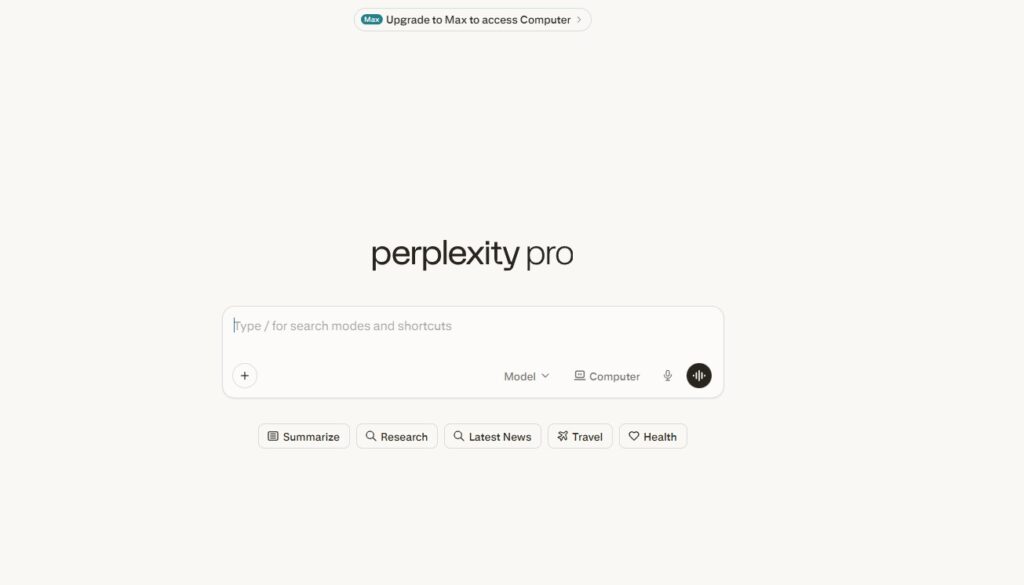
My experience with Perplexity AI has been impressive; it stands out as the best AI search engines designed to enhance the search experience by combining real-time web results with AI-generated answers, backed by clickable citations.
What I appreciated most was its ability to provide concise summaries and citations for the information it presents, which makes it much easier to verify sources on the spot.
This feature significantly streamlined my workflow, allowing me to quickly grasp the essentials without sifting through multiple AI search results pages.
The AI model’s conversational interface made it easy to ask follow-up questions, refining my queries for more relevant results. It truly felt like engaging with an intelligent AI assistant.
What makes it special
- Search‑first design: Runs live web searches by default and grounds most answers in fresh online sources, which is ideal for news, trends, and fast-changing topics.
- Strong citations: Almost every response includes inline citations with clickable links, so you can quickly inspect original pages and verify claims.
- Great for research: Excels at market research, competitor analysis, and fact‑checking because it pulls from multiple sources and synthesizes them into one coherent answer.
- Multiple models & deep research: Let’s you route queries through advanced reasoning models (like DeepSeek R1, OpenAI o3‑mini, GPT‑4, Claude) for more complex or technical questions.
- User-friendly experience: Clean interface, conversational follow‑ups, collections/workspaces, and solid free tier make it easy to adopt as a daily research companion.
Where it lacks
Not a creativity powerhouse: It’s optimized for research and factual answers, so long-form storytelling, brand‑voice copy, or very creative writing tends to lag behind tools like ChatGPT.
- Dependent on source quality: If the web sources are weak or biased, the answer can mirror those issues even though it still shows citations.
- Hallucinations still possible: Despite citations, it can occasionally misinterpret or over‑generalize from sources, so critical facts still need manual checking.
- Pro features behind a paywall: Higher‑limit Pro Search, faster models, and advanced capabilities require a paid plan, which may be a blocker for heavy but budget‑tight users.
- Less control for power users: Compared with some dev‑focused tools, it offers fewer knobs for custom prompts, tool integrations, or complex workflow automation today.
ChatGPT

Using ChatGPT as best AI search engines is built on OpenAI’s language models has been interesting, though it approaches web search differently than traditional search engines.
I found it particularly useful for brainstorming and generating creative content. Its strength lies in understanding natural language and providing detailed, human-like responses.
With its web search features (like ChatGPT search and Browse with Bing), it can now include links and sources in its answers, which helps when you want to dig deeper into a topic.
However, it’s still essential to verify the information it provides, instead of treating it like a fully citation-first AI search engine the way some other tools are. It excels when used as a conversational AI for exploring topics broadly.
What makes it special
- Generation‑first brain: Built primarily as a conversational LLM, it is extremely strong at ideation, drafting, editing, code generation, and explaining concepts in a human‑like way.
- Flexible web search modes: With ChatGPT search / Browse with Bing and related modes, it can pull in real‑time web data, add links and citations, and synthesize that into its answers when needed.
- Rich tool ecosystem: Depending on the plan and platform, you can use browsing, code execution, and other tools inside the same chat, which turns it into more of an all‑purpose workspace than just a search box.
- Great for exploration: Ideal when you want to explore a topic from scratch, ask “dumb” questions, or get step‑by‑step breakdowns rather than strict SERP‑style results.
- Strong for coding and content: Frequently rated higher than search‑centric tools for tasks like writing blog drafts, debugging, refactoring, or turning raw notes into structured outputs.
Where it lacks
- Search is not default‑first: It still leans on its internal knowledge and only triggers browsing in specific modes or when enabled, so answers can be outdated if search is off.
- Inconsistent citations: Even with browsing, citations and links can be less systematic and less dense than Perplexity’s, which makes rigorous fact‑checking slower.
- Hallucinations and overconfidence: It can confidently generate incorrect details, especially when browsing is not used or when it composes from a partial web context.
- Usage and plan limits: Higher‑end models and browsing can be gated by subscription tier and rate limits, which heavy users quickly feel.
- Less “search‑like” UX: For quick, citation‑dense research, the chat‑first interface can feel slower than an answer engine that always shows sources and related questions up front.
Brave Search
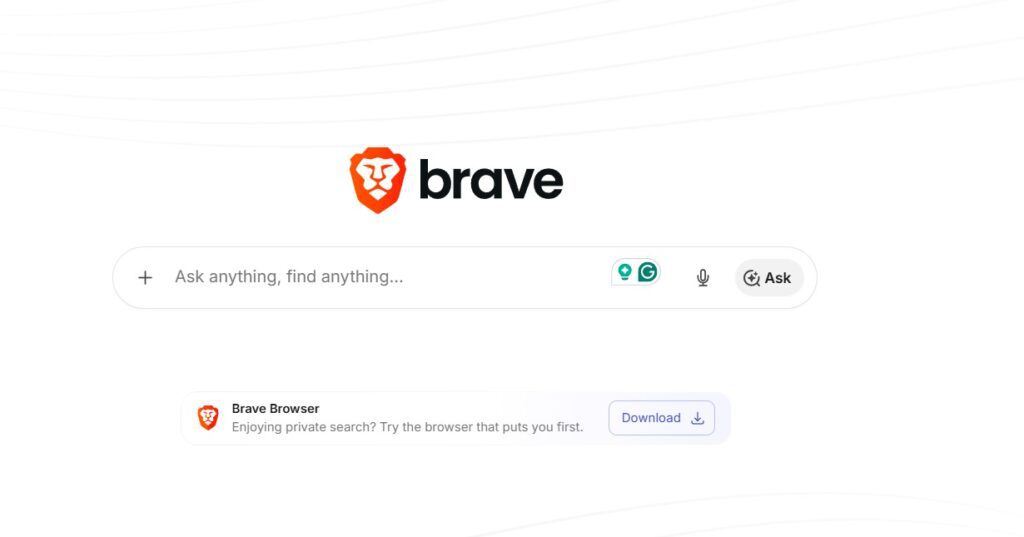
Brave Search offers a unique search experience with its independent index and a strong focus on privacy. The integration of an AI Summarizer mode provides quick summaries of search results at the top of the page, which is quite handy.
I liked that it doesn’t track my searches or build a detailed profile for personalized ads, which keeps things much more private than traditional ad‑driven engines.
While it might not be as comprehensive as Google in some areas, its commitment to user privacy and its innovative AI features makes it a solid alternative, especially if you value anonymity and a cleaner experience in your web search.
What makes it special
- Independent index and ranking: Brave Search runs on its own index instead of piggybacking on Google or Bing, which gives it more freedom in how it ranks pages and curates results.
- Built‑in AI Summarizer: For many queries, Brave shows an AI‑generated summary at the top of the results page that pulls from multiple sources, giving you a quick overview without needing to open every link.
- Privacy by default: Brave emphasizes that it doesn’t build behavioral ad profiles or log searches in a way that ties them to your identity, so you’re not being followed around the web by your queries.
- Minimal clutter: Compared to big ad‑heavy engines, its SERPs often feel cleaner, with fewer ads and less tracking junk, which makes it easier to scan results and focus on content.
- Part of a privacy ecosystem: If you’re already using the Brave browser, Shields, or Brave Leo, Brave Search plugs into that stack and keeps the same private‑by‑design philosophy across browsing and search.
Where it lacks
- Smaller coverage than Google: Google’s index is still far larger, so very long‑tail, hyper‑local, or obscure technical topics can sometimes be weaker or missing in Brave’s results.
- AI summaries are shallow compared to LLM chat: The Summarizer is great for a quick take, but it doesn’t replace full conversational research like you’d get from Perplexity or ChatGPT, especially for multi‑step reasoning.
- Fewer advanced research features: You don’t get built‑in workspaces, chat‑style follow‑ups, or citation‑dense deep dives like in purpose‑built AI research tools.
- Occasional relevance gaps: For certain complex or highly specialized queries, you may find yourself cross‑checking with Google or another AI engine to be fully confident in the results.
- Limited customization for power users: Compared to developer‑oriented AI tools, you have fewer options for custom workflows, APIs, or chaining multiple AI tools directly inside the search interface.
Komo AI
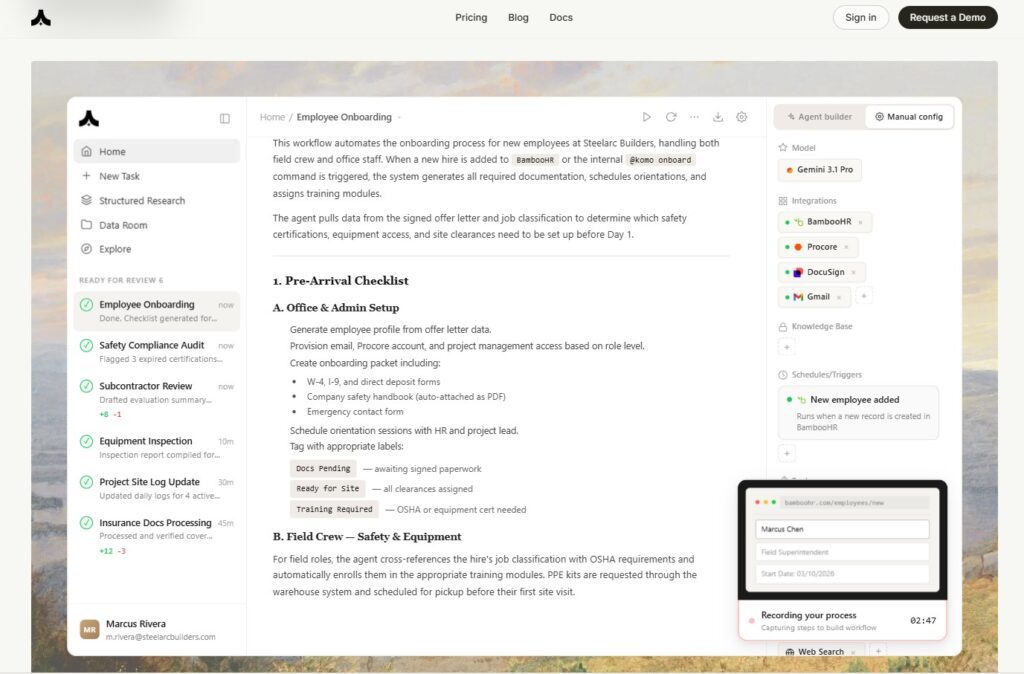
Komo AI is an AI search engine that impressed me with its research‑ and community‑focused approach. The “Explore” feeds and AI‑powered Q&A were particularly useful, letting me dive into topics from multiple angles instead of just reading a list of links.
It felt like a blend of a search engine and a social discovery platform. I especially appreciated how it allowed me to discover content and insights that might not surface through a traditional search engine.
The quality of search results was consistently high for research and content discovery, making it a valuable tool for staying informed.
What makes it special
- Research‑centric design: Komo leans into “ask a question and get an answer” rather than pure ten‑blue‑links, which makes it feel like a research assistant instead of just a search box.
- Three main modes (Search, Chat, Explore): You can quickly shift between direct search results, conversational AI Q&A, and an Explore mode that surfaces trending or interesting topics, threads, and articles.
- Community and discovery flavor: The Explore feeds and social‑style content exposure help you stumble onto discussions, insights, and niche posts that typical SERPs would bury or never surface at all.
- Ad‑free and privacy‑minded: Komo positions itself as fast, ad‑free, and privacy‑focused, so you’re not dealing with banner ads or heavy tracking while researching.
- Useful for SEO and content research: The way it clusters topics and feeds you related queries, angles, and sources makes it handy for marketers, content writers, and SEO folks doing topic and audience research.
Where it lacks
- Not an all‑in‑one marketing suite: It’s great for research and ideation, but it doesn’t replace rank trackers, backlink tools, or technical SEO platforms—you still need other tools for full SEO workflows.
- Smaller ecosystem than incumbents: Compared with Google, Bing, or even Perplexity, Komo has a smaller user base and fewer third‑party integrations or plugins right now.
- Signal quality can vary: Because Explore leans into community and social‑style content, you sometimes get opinion‑heavy or lower‑authority sources that you’ll want to double‑check before citing.
- Feature depth still evolving: Some advanced features, data sources, or personas are still being rolled out, so power users might occasionally hit limitations.
- Paywalled advanced usage: Higher limits or more powerful AI options can sit behind paid tiers, which matters if you use it heavily for research.
Microsoft Copilot (Bing)
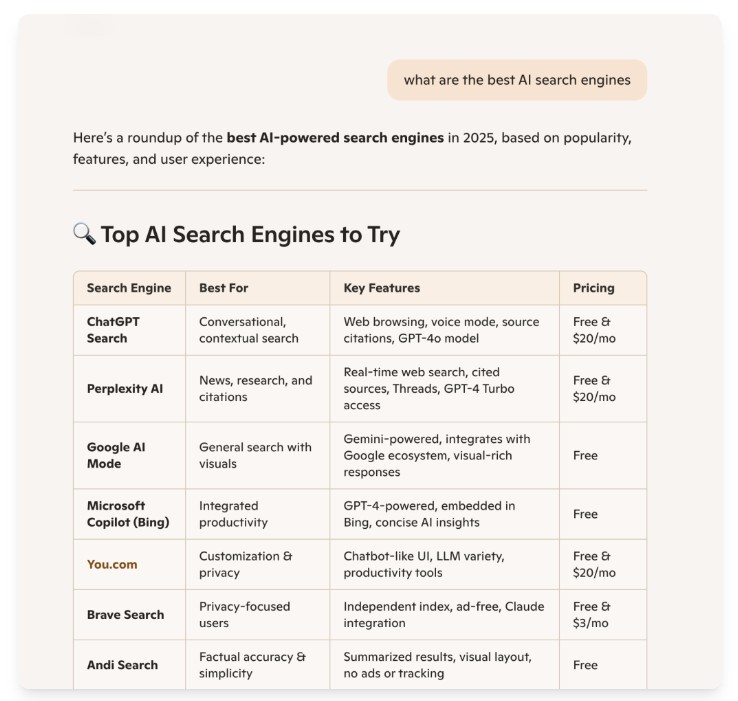
Microsoft Copilot, integrated within Bing, offers a compelling AI search experience by leveraging large language models alongside Bing’s search index. I found it very capable for complex queries and generating well‑structured, sourced answers directly on the results page.
The ability to create images, summarize web pages, and work with documents from within the Copilot interface genuinely enhanced my workflow.
It’s a versatile AI tool that combines web search with creative and productivity capabilities, making it a powerful resource for both everyday tasks and more in‑depth research.

What makes it special
- Tight integration with Bing Search: Copilot sits on top of Bing’s search stack, so you get classic results plus an AI‑generated answer with citations, all in the same interface.
- Productivity‑oriented AI: Beyond plain search, Copilot can summarize long pages, draft emails or documents, and interact with files and content in the Microsoft ecosystem.
- Multimodal capabilities: Inside Bing/Copilot you can generate images from text prompts, use visual search, and mix text with images for more creative flows.
- Powered by advanced LLMs: It draws on large language models co‑developed with OpenAI and Microsoft, which gives it solid reasoning for complex or multi‑step queries.
- Deep Microsoft 365 tie‑in: For users in the Microsoft stack, Copilot shows up in Edge, Windows, and apps like Word, Excel, and PowerPoint, turning it into a cross‑app assistant, not just a browser search tool.
Where it lacks
- Best experience locked into Microsoft ecosystem: You get the full power when you’re using Edge, Bing, and Microsoft 365; if you’re on Chrome and Google Workspace, it feels less central.
- AI can oversimplify results: Like other AI search tools, Copilot can occasionally gloss over nuance or miss edge cases, so important decisions still need you to read through the cited pages.
- Mixed perception vs Google: Many users still default to Google, so Bing/Copilot results sometimes require an extra step to convince teams or clients who are used to Google‑first workflows.
- Enterprise features tied to licensing: Some of the most powerful Copilot capabilities live in enterprise or paid Microsoft 365 plans, which can be pricey if you only want the AI layer.
- Learning curve for non‑Microsoft users: If you don’t already live in the Microsoft world, figuring out where Copilot appears (Bing, Edge sidebar, apps, Windows) can feel a bit fragmented.
Google AI Mode (Gemini in Search)
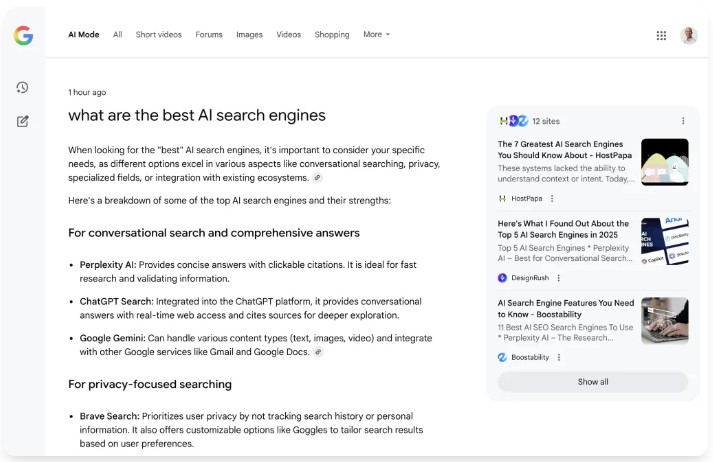
During my tests, it delivered more context and summaries directly within the search page, saving time and improving the overall search experience.
The conversational AI features are promising, letting you jump from an AI Overview into an AI Mode chat to ask follow‑up questions without starting a new search.
As Google continues to refine this integration and rolls Gemini 3 out as the default model behind AI Overviews globally, it is clearly positioning AI Mode to redefine how we search the web and access information through these best ai search engines.
What makes it special
- Native to the world’s biggest search engine: AI Mode and AI Overviews are layered on top of Google Search, so you keep Google’s massive index, ranking signals, and familiar interface while getting AI summaries.
- Gemini 3 under the hood: Google now uses Gemini 3 as the default model for AI Overviews globally, bringing stronger reasoning, multimodal understanding, and better handling of complex questions.
- AI Overviews plus conversation: You can scan a quick AI Overview, then click into AI Mode to continue in a conversational way, asking follow‑ups without rewriting your query from scratch.
- Strong on everyday queries: For shopping, local results, how‑to searches, and general information, AI Overviews can condense many sources into a clean summary right on the SERP.
- Smooth mobile experience: On mobile, the “Ask a follow‑up” entry point makes it easy to move from a standard search into an AI chat on the same topic.
Where it lacks
- Less transparent than citation‑first tools: While sources are linked, the citation density and layout aren’t as research‑oriented as Perplexity’s answer‑plus‑citations format.
- Still evolving quality: AI Overviews have improved with Gemini 3, but they can still produce shallow or occasionally incorrect summaries, so important topics require checking the underlying links.
- Traffic and UI trade‑offs for publishers: More answers staying in Google’s interface means fewer clicks out, which is good for speed but not great if you want to explore sites more deeply.
- Feature availability differences: Rollout and exact behavior can vary by country, account, and device, so not everyone sees the same AI experience yet.
- Not a full research workspace: AI Mode is conversation‑layered search, but lacks dedicated research tooling like collections, long‑form notes, or persistent workspaces built into the UI.
DuckDuckGo AI Chat (Duck.ai)
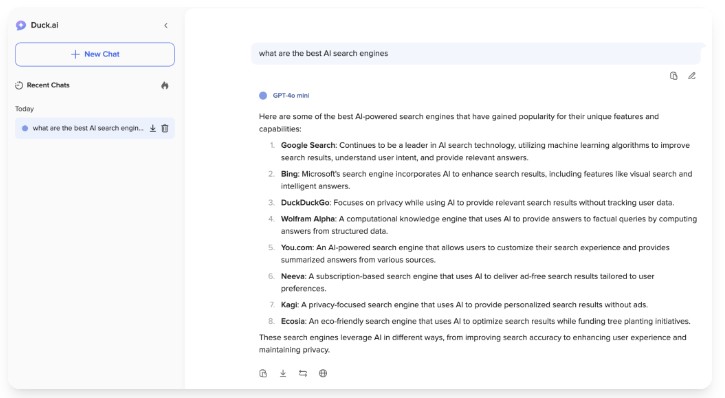
DuckDuckGo AI Chat one of the best ai search engines offers a privacy‑focused way to use AI‑powered chat and search helpers. I liked that it’s designed to provide summaries and answers while anonymizing my data, routing conversations through DuckDuckGo so model providers don’t see my IP or identity.
The AI‑driven instant answers felt quick and relevant for many everyday questions, enhancing the overall search experience when I wanted simple, direct responses.
While it might not have all the advanced features and integrations of some other AI search engines, its commitment to privacy and its straightforward design make it a great option if you prioritize anonymity and simple information retrieval.
What makes it special
- Privacy‑first AI access: DuckDuckGo acts as a relay between you and providers like OpenAI or Anthropic, stripping identifiers so your chats are anonymized and not tied to your IP.
- Multiple models in one place: AI Chat exposes several LLMs (such as ChatGPT‑style and Claude‑style models) behind a single interface, with DuckDuckGo’s privacy wrapper around them.
- No account required for basics: You can start using Duck.ai/AI Chat without creating an account, which lowers friction for privacy‑minded users.
- Voice chat option with protections: Duck.ai now supports real‑time voice conversations while still anonymizing and not storing your audio after the session ends.
- Fits into DuckDuckGo ecosystem: For people already using DuckDuckGo search and browser, AI Chat slots into a consistent, privacy‑centric browsing stack.
Where it lacks
- Less feature‑rich than dedicated AI suites: Compared with Perplexity, ChatGPT, or Copilot, DuckDuckGo AI Chat has fewer research features, integrations, and workflow tools.
- Model choice is abstracted: You don’t get deep control over parameters, plugins, or tool use; the focus is more on safe access than power‑user customization.
- Usage caps on free tier: Daily limits apply, especially for higher‑end models and voice chat, so heavy users may hit ceilings quickly unless they subscribe.
- Not tightly fused with SERPs yet: It complements DuckDuckGo Search more than it completely replaces the results page; you still bounce between search and chat more than in some answer engines.
- Answer depth can vary by model: Because it fronts multiple providers while hiding details, quality, style, and depth can shift, so you may need to adapt how you query it.
Arc Search / Arc Max
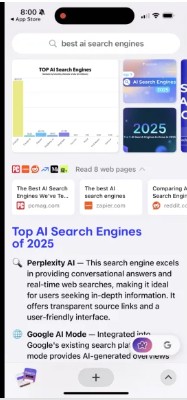
I appreciated how these best AI Search Engines can organize information into clean, readable summaries—whether through quick previews on desktop or “Browse for Me”–style auto‑summaries on mobile—so I can focus on the key points instead of manually opening every tab.
The Arc Max tools genuinely feel like having an AI assistant inside the browser, from asking questions about a page to getting 5‑second previews of links.
It’s a promising setup if you want to declutter your search and browsing process and focus on the most relevant information efficiently, and the browser itself is polished and fast.
What makes it special
- AI baked into the browser: Arc doesn’t just layer AI on search results; Arc Max lets you ask questions about any page, summarize content, and trigger AI directly from the command bar.
- 5‑second previews and “Browse for Me”: Desktop users get instant hover previews of pages, and Arc Search on mobile can auto‑browse and summarize for you, turning multi‑click research into one request.
- Command‑bar centric workflow: You can search, run commands, and invoke ChatGPT‑style help from a single command bar, which speeds up both search and navigation.
- Great for tab‑heavy users: Features like smarter tab naming, split‑view layouts, and Instant Links help power users tame lots of research tabs while still having AI assistance on top.
- Thoughtful UX and design: Arc’s clean, opinionated interface plus AI helpers makes the whole browsing and search workflow feel more curated and less cluttered than a typical browser.
Where it lacks
- Tied to a specific browser: To get the full AI search/browsing experience, you have to use Arc and Arc Search; if you’re loyal to Chrome or Firefox, that’s a significant switch.
- Not a dedicated “answer engine”: Arc enhances browsing and search workflows, but it doesn’t replace Perplexity‑style research workspaces or deep AI search features.
- Platform limitations: Some Arc Max features are desktop‑only, while some “Browse for Me” behavior is mobile‑only, so the experience is uneven across devices.
- Privacy and data‑flow complexity: Because it can send page content and queries to AI providers, privacy‑sensitive users need to review settings and policies more carefully than with a plain browser.
- Still evolving outside Apple‑centric base: Adoption and polish started on macOS and iOS first, so users on other platforms may feel a step behind in features or stability.
You.com
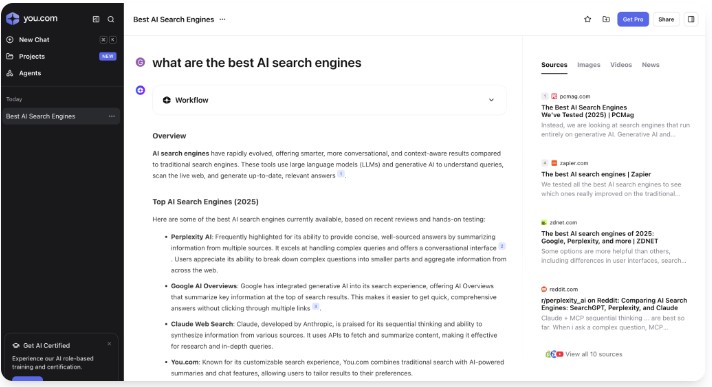
You.com is an AI‑driven search engine that lets you customize your search experience by prioritizing different sources and apps in the results.
I found this especially useful for filtering out irrelevant or low‑quality information and surfacing sources I trust more. Its AI‑powered summarization and chat capabilities helped me quickly find answers and then explore topics in more depth when I needed to.
Its focus on user control, personalization, and transparency—showing which sources are being used, which makes it a standout option in the increasingly crowded field of best AI Search Engines.
What makes it special
- App‑style search results: You.com organizes results into “apps” or blocks (like Reddit, StackOverflow, news, etc.), which you can reorder or prioritize based on your preferences.
- Built‑in YouChat and AI summaries: YouChat provides conversational answers and summaries inside search, blending classic SERPs with chat‑style AI assistance.
- High degree of customization: You can boost or mute sources, tailor which sites appear more often, and shape a search profile that matches how you like to research.
- Developer‑ and power‑user friendly: It has historically leaned into code, technical queries, and integrations, making it attractive for devs and advanced users.
- Transparent about sources: You.com highlights where information is coming from, giving you more visibility into which sites are powering your results and summaries.
Where it lacks
- Smaller market share than Google/Bing: As an independent engine, its index and data ecosystem are smaller, which can show up in certain long‑tail or local queries.
- AI answer quality can be uneven: Depending on the query type and apps involved, some AI summaries feel less consistent than what you’d get from the biggest LLM‑backed engines.
- Interface can feel busy: The app‑grid layout is powerful but can appear cluttered or overwhelming compared to simpler answer‑first engines.
- Not as research‑optimized as Perplexity: It’s flexible and customizable, but it doesn’t match Perplexity’s deep citation workflow for structured, source‑dense research.
- Learning curve for new users: To really benefit, you need to tune your apps and preferences; out‑of‑the‑box, it can feel less intuitive than Google or Bing.
Wolfram Alpha
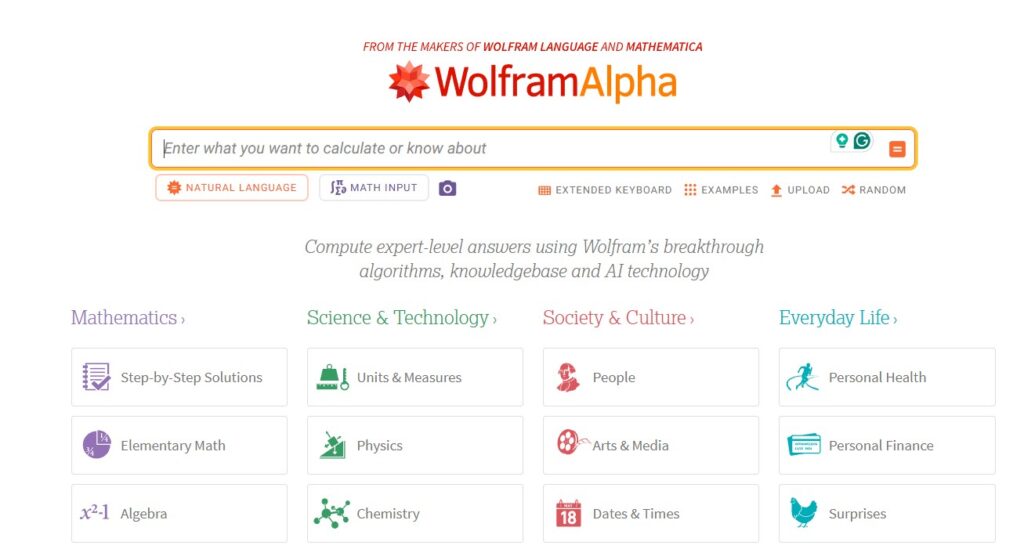
Wolfram Alpha is a computational knowledge engine that excels at providing precise, data‑driven answers to complex queries. I used it extensively for math, science, and statistics‑related questions and was consistently impressed by its accuracy, step‑by‑step calculations, and depth of built‑in knowledge.
While it’s not a traditional web search engine, its AI‑powered symbolic computation and curated data make it one of the best AI Search Engines for students, researchers, and anyone who needs authoritative answers in technical domains.
What makes it special
- Computational engine, not just search: Wolfram Alpha performs symbolic math, calculus, statistics, and more, instead of just pointing you to pages about those topics.
- Curated knowledge base: It relies on a structured, vetted knowledge graph and datasets rather than scraping arbitrary pages, which boosts reliability in STEM subjects.
- Step‑by‑step solutions: For many math and science queries, it shows detailed steps, intermediate calculations, and plots, which is ideal for learning and verification.
- Domain‑specific power: It shines for physics formulas, chemistry data, financial math, engineering calculations, and similar technical work.
- Integrations with other tools: Wolfram’s engines plug into notebooks, programming languages, and some LLMs, turning it into a back‑end for more advanced workflows.
Where it lacks
- Not a general web search replacement: It does not try to cover news, social content, shopping, or broad web discovery the way Google, Perplexity, or You.com do.
- Interface can feel dense: Results are packed with formulas, plots, and tables, which can be intimidating for casual users just wanting a quick, high‑level explanation.
- Premium features for full power: Step‑by‑step solutions, extended data, and some advanced capabilities sit behind paid plans, especially for heavy academic or professional use.
- Requires precise input: It works best when you phrase queries mathematically or technically; vague or natural‑language‑only questions sometimes miss the mark.
- Narrower topic coverage: Outside its core technical domains, it’s much less helpful than AI search engines that roam the open web
How to Choose the Right AI Search Engine for You
Choosing the best AI Search Engines starts with being clear about what you’re actually trying to do. If you want everyday help with writing, brainstorming, and general questions, conversational engines like ChatGPT or Claude are often the easiest to live in day to day.
If your priority is fast, well-cited research, tools like Perplexity focus on pulling in fresh sources and showing exactly where information comes from, which makes them stronger for fact‑checking and deep dives.
For work that leans heavily on Google’s ecosystem—Docs, Drive, Analytics, Search—Gemini and Google’s AI search experiences fit more naturally because they plug into the tools you already use.
You should also consider how you like to search and what matters most: do you care about strict privacy, in which case privacy‑first engines like Kagi or Brave may be a better fit, or do you want rich integrations with Office or Workspace, where Copilot and Gemini shine?
Test a couple of engines with the same set of real queries—customer research, competitor checks, content outlines and pay attention to answer quality, speed, citations, and how easily you can export or reuse the output.
The “right” AI search engine is the one that consistently gives you clear, trustworthy answers in your real workflows without forcing you to fight the interface every day.
FAQs: Best AI Search Engines
How do I know if an AI visibility tool matches my stage?
Your budget for Best AI Search Engines should match your stage: smaller teams usually start with a low monthly spend, while larger companies and agencies can justify higher costs when they track more prompts and markets. Radarkit makes this easier by offering plans that you can upgrade only when you need more projects, locations, or prompts, so you are not forced into an expensive tier too early.
What hidden costs matter besides the subscription price?
The main hidden cost is the time your team spends exporting data, rebuilding reports, and trying to interpret confusing dashboards. A tool like Radarkit reduces this by offering clear reporting, simple exports, and built-in content workflows, so you spend more time using insights and less time managing the tool itself.
Is it better to pay per query or use a flat monthly plan?
Paying per query can work if you only run checks occasionally, but it can become expensive once you track many prompts or run checks regularly. Flat monthly plans with clear limits, like Radarkit’s tiered pricing, usually provide better value when AI visibility tracking becomes part of your ongoing workflow.
How can I tell if a higher-priced tool will deliver a return on investment?
A higher price makes sense only if the tool helps you save more time or generate more revenue than it costs each month. Radarkit helps here by combining accurate tracking with practical content suggestions, so both analysis and content teams can move faster based on the same set of data.
What should I look for in trials and contracts before committing?
During a trial, you should test real prompts, check how reliable the data feels, and see how easily the tool fits into your reporting and analytics setup before agreeing to a long contract. Radarkit publishes its pricing and limits publicly and lets you validate coverage up front, which reduces the risk of surprises once you decide to subscribe