I’ve been meaning to sit down and write a proper Surfer AI Tracker review for a while, because this is one of those tools you only really “get” after you’ve used it on real keywords and clients.
If you’re already comfortable with Surfer for content and on‑page SEO, AI Tracker feels like the missing piece: it shows how often your brand actually shows up in answers from Google AI Overviews/AI Mode, ChatGPT, and Perplexity, and what those answers are saying about you compared to your competitors.
In this review, I’m looking at it from a working SEO’s perspective—how useful the data really is, where it fits into day‑to‑day workflows, and in what situations the extra cost genuinely feels justified versus when you can probably live without it.
So, without any further ado, let’s get started.
What is Surfer AI Tracker?
Surfer AI Tracker is a paid add‑on within the Surfer SEO ecosystem that monitors how often your brand, products, or topics show up in answers from major AI interfaces such as ChatGPT, Google’s AI Overviews/AI Mode, and Perplexity.
In this Surfer AI Tracker review, we’re looking at how it captures the real responses users see instead of just scraping classic SERPs, so you can understand your true footprint in AI search.
Rather than being a general “AI tool,” it is specifically focused on AI search visibility and brand‑mention tracking across multiple models and prompts. It sits alongside Surfer’s content editor and audit features, so you can move from “what AI says about us” to concrete on‑page and content changes in the same workspace.
What does it track in AI search?
When it comes to what it tracks in AI search, you can add buyer‑intent prompts or brand questions (for example, “best SEO tools for content teams” or your brand name plus product category), and AI Tracker will re‑run them on supported models every day.
It then logs whether and how often your brand is mentioned, how you are positioned relative to competitors, and which source pages the AI cites.
These runs are repeated several times per model and averaged to reduce random swings in answers, turning scattered AI responses into stable metrics such as mention rate, share of voice, and average position within AI answers.
Who needs Surfer AI Tracker?
Surfer AI Tracker review makes the most sense for brands and teams that want to actively manage how they appear in AI‑generated answers.
It’s a strong fit for SEO specialists, content teams, and agencies who already use Surfer SEO and now need to report on visibility in AI chats alongside traditional rankings.
- CMOs, heads of marketing, and growth leaders can use the AI Tracker dashboards to see if their brand is actually showing up when buyers ask AI tools for recommendations, and how that compares to key competitors.
- Agencies can plug it into their existing Surfer workflows to deliver AI visibility reports, track progress over time, and justify content or PR initiatives with hard data.
- It’s also useful for competitive analysis, since you can see which rivals dominate specific prompts, which sources AI relies on, and where there are gaps you could fill with better content or outreach.
If your goal is to improve your Visibility Score, protect your brand narrative in AI answers, and keep pace with AI‑driven search trends, Surfer AI Tracker is much more relevant than a basic keyword rank tracker alone.
Surfer AI Tracker Stand‑Out Features
Surfer AI Tracker review offers several key capabilities that help you understand and improve how your brand shows up in AI search results, not just classic Google rankings.
Track Brand Mentions Across AI Engines
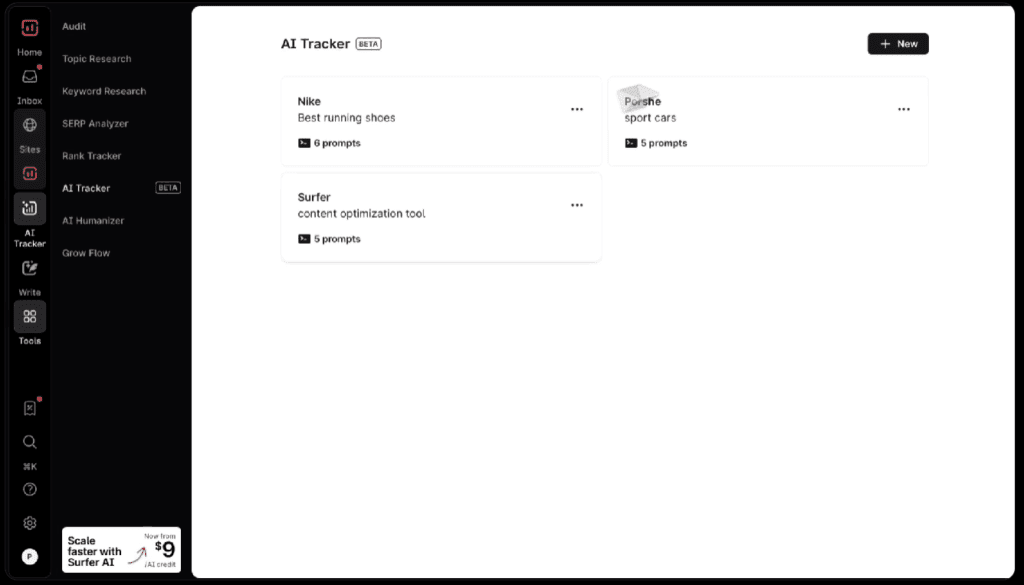
Surfer AI Tracker lets you track brand mentions and visibility across major AI experiences such as Google AI Overviews, Google AI Mode, ChatGPT, and Perplexity.
It runs structured prompts on these models, captures the real answers users would see, and records where your brand (or competitors) are mentioned or cited.
This makes it easier to spot opportunities to boost AI visibility, adjust your content, and keep your brand in the mix when buyers ask AI tools for recommendations.
Prompt‑level Insights
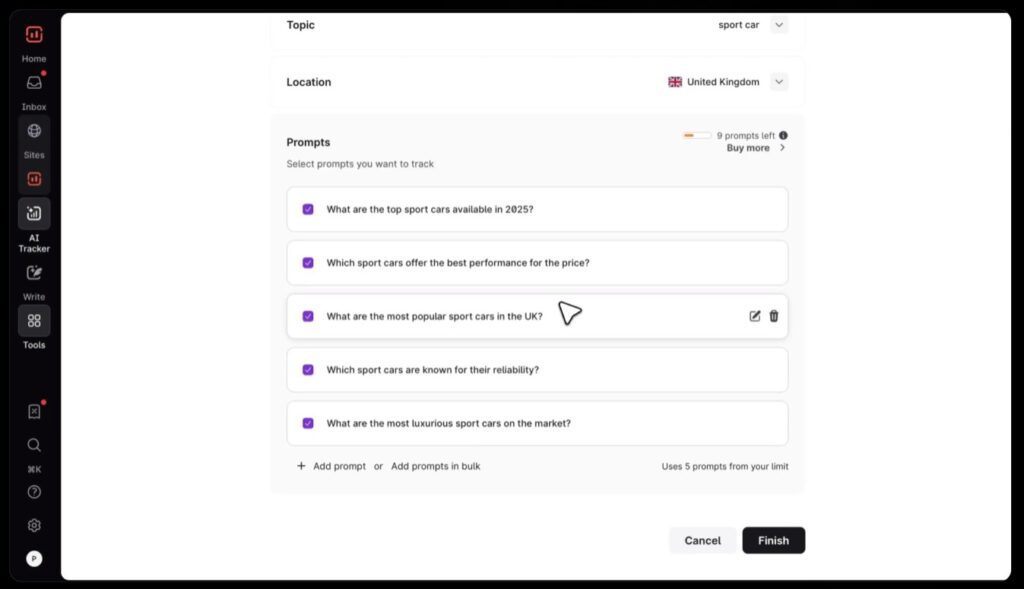
One of the biggest strengths in any Surfer AI Tracker review is its prompt‑level view of performance. For every tracked query, you can see the exact prompt that was used, whether your brand appeared in the answer, how it was positioned, and which domains were cited.
This helps SEO and content teams connect specific prompts to specific pages, refine content around real buyer questions, and check if AI tools like ChatGPT and Perplexity actually mention the brand the way you expect.
Source transparency
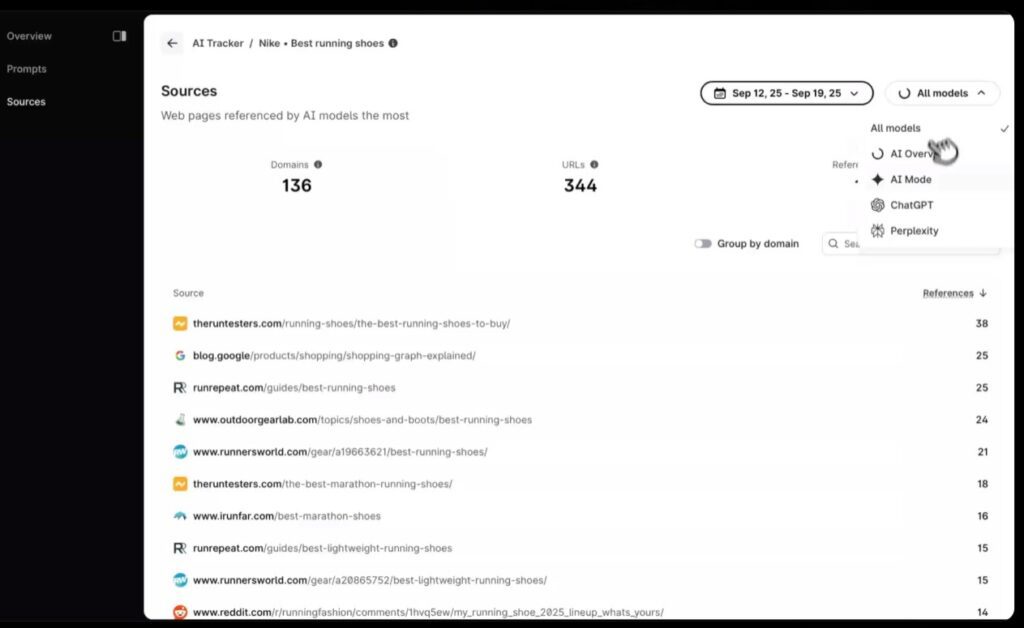
Surfer AI Tracker review also provides source transparency by showing which URLs and domains the AI models cite for each answer.
You can see which of your pages are earning mentions, which competitor pages are being favored, and where misinformation or outdated sources might be shaping how AI talks about your brand.
That gives you a practical way to plan new content, update existing pages, or run outreach to the sites that heavily influence AI responses.
Trend and Visibility Reporting
Instead of forcing you to manually re‑run prompts, Surfer AI Tracker refreshes data automatically every day and rolls those runs into trend charts and visibility metrics over time.
You can track changes in mention rate and average position across prompts, identify whether visibility is going up or down, and quickly spot shifts that might be tied to new content or competitor moves.
These time‑series views are especially useful for agencies and in‑house teams that need to show stakeholders how AI visibility is evolving from week to week and month to month.
Surfer AI Tracker Review: Plan and Pricing
Here is the plan and pricing of the Surfer AI tracker review.

Standard at $99/month
Standard costs $99/month on annual billing and is the first tier that includes Surfer AI Tracker.
It lets you track 25 AI prompts with a weekly refresh, with AI visibility tracking shown for platforms like ChatGPT, Perplexity, Google AI Mode, Google AI Overview, and Google Gemini.
Pro at $182/month
Pro is the plan for teams that want to take AI tracking seriously and check results more often.
It increases AI Tracker to 50 prompts refreshed daily, and it also adds support for multiple brand workspaces, which is helpful if you manage more than one site or client.
Peace of Mind at $299/month
Peace of Mind is built for scale and fewer limits. You get unlimited documents, 100 AI prompts refreshed daily, plus API access and a dedicated success manager, so it fits teams that need wider prompt coverage and smoother reporting
Enterprise at $999/month
Enterprise starts at $999/month and is meant for companies that need custom limits and enterprise controls.
Surfer lists items like SSO, enterprise-grade security, and tailored onboarding, so this tier is usually for larger orgs with multiple stakeholders and stricter governance needs
Surfer AI Tracker Pros: What Users Seem to Love
In this Surfer AI Tracker review, what impressed me most was the strategic pros you only notice after using it for a while.
Helps you prove the impact of AI SEO work
Surfer AI Tracker makes it much easier to show that AI‑focused SEO and content changes are actually working, because you can connect specific campaigns to lifts in AI mention rate and visibility for tracked prompts over time.
Great for prioritizing which topics to fight for
By showing where competitors dominate AI answers and where nobody is clearly owning the conversation yet, the tool gives you a practical way to prioritize topics and prompts with the best upside, instead of guessing where to spend your content budget.
Acts like an “early warning system” for brand reputation in AI
Because Surfer AI Tracker keeps re‑running prompts and storing full answers, you can spot when AI tools start recommending a competitor instead of you, or when they pick up outdated or off‑brand messaging, and react before that narrative spreads.
Gives agencies a new, premium‑feeling deliverable
Agencies can turn Surfer AI Tracker data into client‑ready decks that highlight AI share of voice, wins/losses by prompt, and before-and-after views tied to campaigns, which makes retainers feel more valuable than just standard keyword ranking reports.
Works as a bridge between SEO, content, and PR
The combination of visibility metrics and cited sources helps SEO, content, and PR teams align around the same AI opportunities: which pages to improve, which third‑party sites to pitch, and which topics to push in thought‑leadership to influence how AI answers are formed.
Let’s you benchmark against serious competitors, not just generic SERPs
Instead of comparing generic keyword positions, Surfer AI Tracker lets you benchmark your AI presence against the exact brands that show up alongside you in AI answers for high‑intent prompts, which feels much closer to how buyers actually compare options.
Surfer AI Tracker Cons: 3 Key Limitations
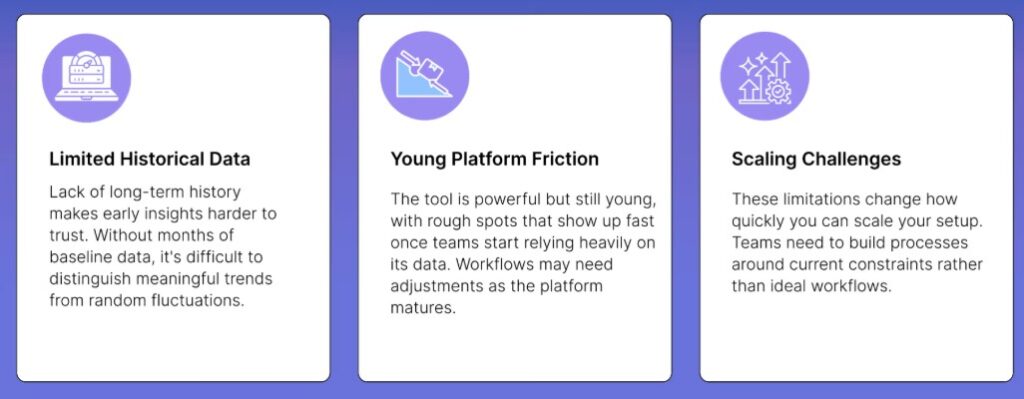
Surfer AI Tracker is a powerful way to monitor and grow your brand’s visibility in AI answers, but it is not without trade‑offs.
In practice, a few structural limits can affect how much value you get from it, especially as you scale up tracking or rely on it for long‑term trend analysis.
Limited history
Surfer AI Tracker only starts building data from the moment you add prompts, so you cannot retroactively see how your brand performed in AI answers months ago.
This makes it harder to compare current visibility with older campaigns unless you have been tracking prompts consistently from the beginning.
Cost scaling
While entry access is manageable for smaller sets of prompts, costs can climb quickly as you add more tracked questions, brands, or markets, especially for agencies or large teams that want broad coverage.
This means Surfer AI Tracker is often best justified when AI search visibility is a clear strategic priority with budget behind it, not just a “nice‑to‑have” experiment.
LLM variability
Even with multiple runs and averaging, AI models remain inherently variable, so answers can still shift based on model updates, personalization, or experimentation on the platform side.
Surfer AI Tracker helps smooth the noise, but you still have to interpret trends with care and avoid overreacting to small week‑to‑week changes in rankings or mention rate.
Surfer AI Tracker Alternative Radarkit
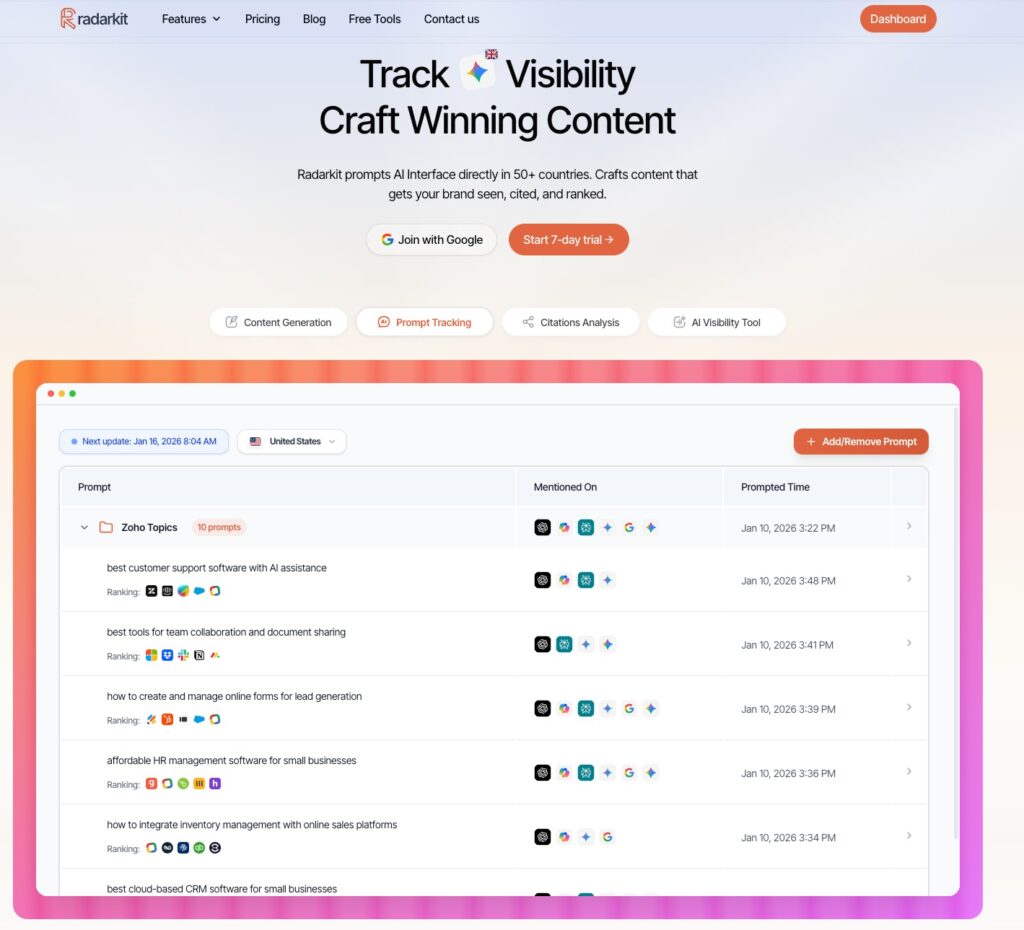
For marketers looking for a Surfer AI Tracker alternative, Radarkit is one of the strongest options right now.
Radarkit.ai (part of the Alpha startup at Web Summit Qatar) is the best AI search tracker in the market right now.
What makes Radarkit different is its accuracy and the fact that it uses real browser tracking instead of APIs to get actual AI responses from 40+ countries.
Notable Radarkit AI features:
- AI Share of Voice: Identify exactly which sites AI Chatbots trust most for your query vs. competitors
- Location-Based Tracking: Simulate real-time queries from 40+ countries using residential proxies to catch local citations and geo-specific data
- NLP & Fact-Based Content: Create content using the specific NLP terms and entities found in most cited sources to rank in AI search engines
- 1-Click GEO Content Writer: Generates optimized content that ranks in LLMs in 5 minutes without needing Google Search Console
- Query Fanouts Tracking: Tracks how AI models break one question into multiple angles and turn them into content sections
- AI Traffic Monitoring: See which AI platforms (ChatGPT, Perplexity, Gemini, Copilot) send actual visitors to your site
Is Surfer AI Tracker Worth the Investment?
Whether Surfer AI Tracker is worth the investment really depends on how serious you are about AI search.
If your brand relies heavily on online visibility and you want to stay ahead as buyers move from classic Google results to AI answers, Surfer’s ability to track brand mentions, analyze prompt‑level responses, and expose the sources AI is citing can deliver real strategic value.
Agencies and in‑house teams can turn those insights into clear AI visibility reports for stakeholders, connecting content and PR work to concrete lifts in AI share of voice.
On the other hand, if you are a smaller business with limited resources or your SEO program is still focused mainly on traditional rankings, the pricing for the plans that include Surfer AI Tracker may feel high for what you actually use.
In that case, it is worth asking how much AI search really matters to you right now and whether a dedicated AI visibility tracker needs to be part of your stack yet.
Radarkit Stand-out features
- Real browser LLM prompting (not just APIs).
- AI Visibility Score
- 1-Click GEO Content Writer.
- Query Fan Out
- Brand Reputation Score.
- Average Position tracking.
- Competitor ranking table.
- Sentiment breakdown.
- Citation data (sources).
- Prompt library management.
- Daily/weekly tracking.
- GA4 integration.
- 7‑day free trial, after that plans start at $29 per month.
Query Fanouts
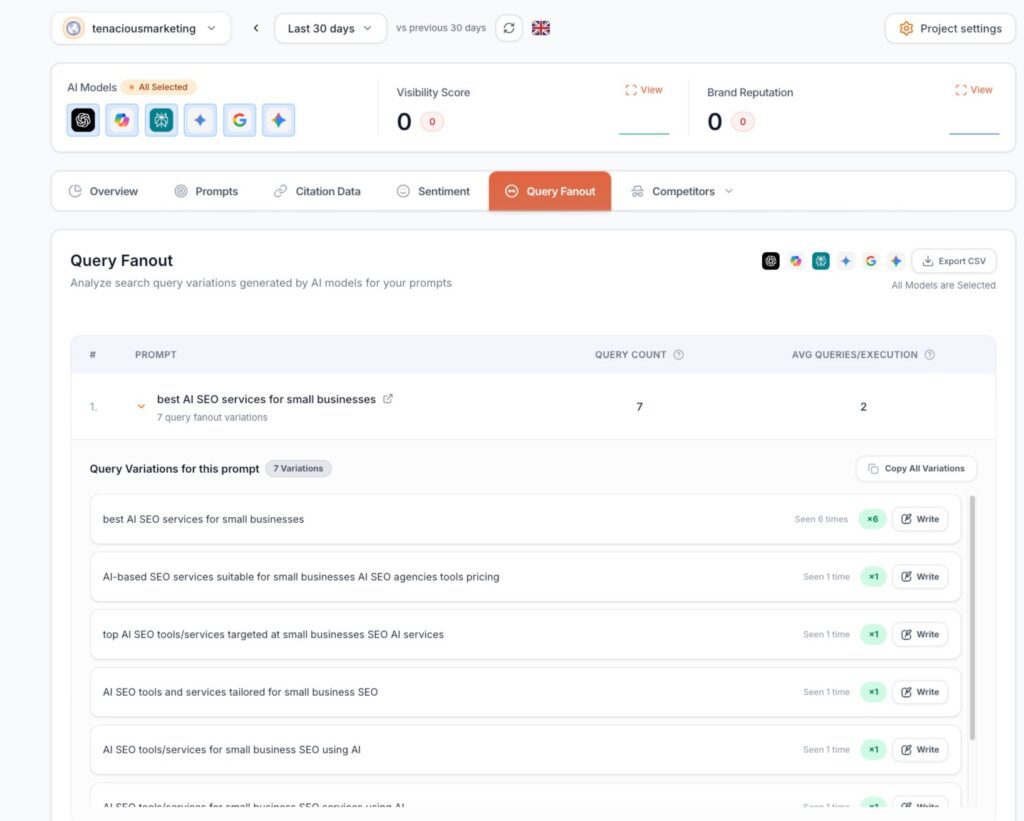
When you enter the prompt affordable CRM for Startups for tracking in Radarkit.ai, you can see all the other data that an LLM like ChatGPT or Perplexity searches for in the background, aka Fanouts.
You can then utilise this data to craft content that will increase your visibility in LLMs.
GEO Writer
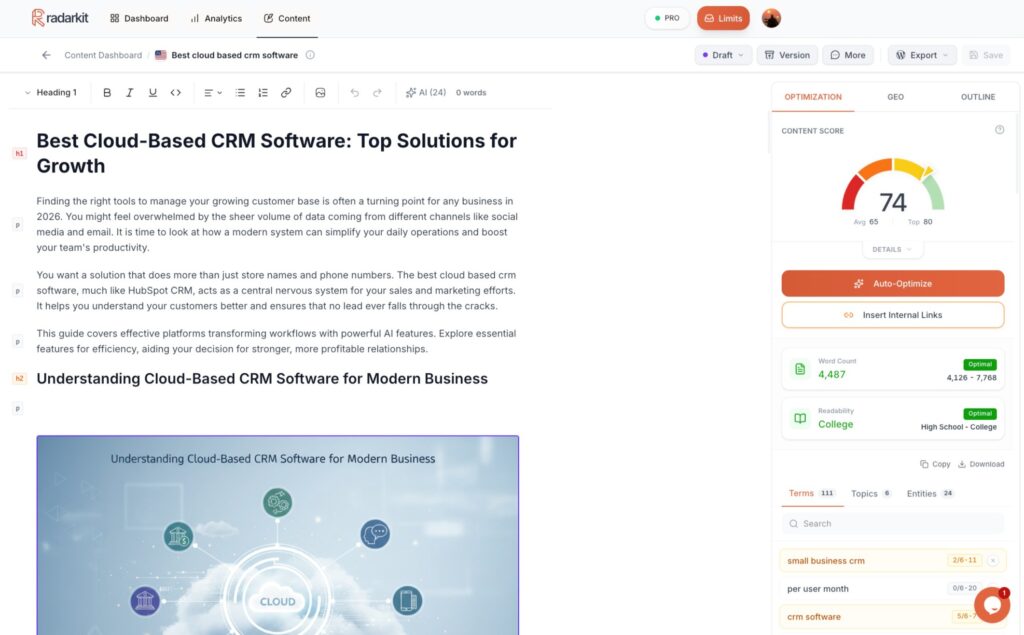
Radarkit’s GEO Writer uses NLP and citation data based on your competitors to create an optimised article with Facts, PAA, NLP terms that is optimised for both SERP and LLMs.
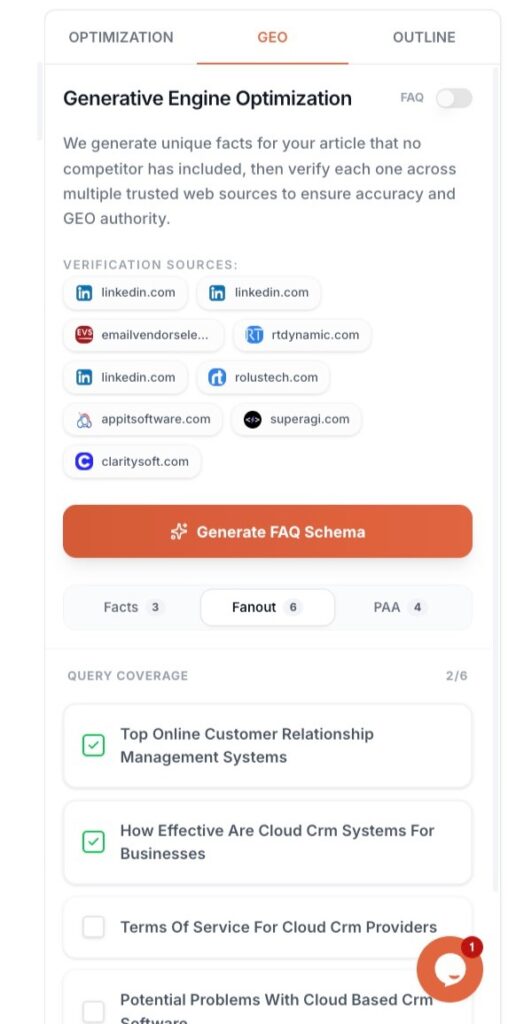
UI Based Tracking from 50+ Countries
Radarkit used residential IPs from 40+ countries to get real‑time responses from the LLMs based on IP.
FAQs: Surfer AI Tracker Review
Can I track multiple brands or projects separately in Surfer AI Tracker?
Yes. Surfer lets you organize tracking into separate workspaces, so agencies and in‑house teams can monitor different brands or projects without mixing prompts and visibility data
How many prompts can I include in a single Surfer AI Tracker query?
Surfer’s documentation notes that one AI Tracker query can contain up to 100 prompts at once, giving you flexibility to group related questions under a single brand, product, or topic set.
How long does Surfer AI Tracker keep my AI visibility data?
Surfer AI Tracker is designed for ongoing monitoring rather than one‑off snapshots, and it stores visibility trends over time so you can review changes in mentions and positions as more daily runs accumulate. Data retention is tied to your active subscription and usage limits.
Does Surfer AI Tracker use APIs or real AI answers from the interfaces?
Surfer states that AI Tracker does not rely on APIs for its visibility checks and instead scrapes real answers from Google AI Overviews, Google AI Mode, ChatGPT, and Perplexity, to match what users actually see.
Can Surfer AI Tracker help me understand which sources influence AI answers the most?
Yes. The Sources dashboard in Surfer AI Tracker shows which domains and URLs are cited for your prompts, so you can see which pages (yours and competitors’) are shaping AI answers and plan content or outreach around them.