Finding the Best Tools to Track Query Fanout keywords is no longer a niche SEO task. It has become part of modern AI search work because one prompt can now be split into multiple hidden searches that influence which brands get cited, which pages get pulled in, and which competitors stay visible across Google AI Mode, ChatGPT Search, Perplexity, and other answer engines.
If you track only one main keyword, you are looking at the surface, while the real competition often occurs across the fanout paths beneath it.
That article on 5 Best Tools to Track Query Fanout Keywords covers how Query fanout has changed discovery, how these tools help with comparison research, and how SEO teams need to approach content planning.
So, without any further ado, let’s get started.
Quick Pick Criteria
- Radarkit: Best overall choice for agencies and in-house teams.
- LLMrefs: Best for quick fanout research.
- Profound: Best for enterprise AI visibility tracking.
- Otterly: Best for AI search monitoring and brand visibility.
- Wellows: Best for simple fanout query generation.
Quick Video Explaination about Query Fanout – Realtime example shared
Comparison Table of 5 Best Tools to Track Query Fanout Keywords
| Tool | Best for | Starting Price | Fanout focus |
|---|---|---|---|
| Radarkit | Best overall Choice | $29/month | Tracks prompts on AI platforms and connects fanout behavior with citation and share of voice reporting. |
| LLMrefs | Quick fanout research | $79/month. | Generates fanout queries to show how AI search systems can expand a prompt into multiple searches. |
| Profound | Enterprise AI visibility tracking | $99/month | Helps teams analyze query fanouts and understand how answer engines reason about prompts and brand presence. |
| Otterly | AI search monitoring and brand visibility | $189/month | Tracks brand presence, visibility, sentiment, competitors, and links across AI-powered search experiences. |
| Wellows | Simple fanout query generation | $97/month. | Expands a single keyword into multiple related fanout queries and also supports broader AI visibility tracking plans. |
What is Query Fanout?
Query fanout is the process where an AI search system takes one user query and expands it into multiple related searches before producing a final answer.
Instead of reading your prompt in one narrow way, the system can branch into comparisons, features, pricing, reviews, definitions, use cases, and related follow-up questions at the same time.
That is why AI search results often do not match traditional rankings. Google AI Mode, for example, can pull from a wider set of pages because it is combining results from multiple connected searches rather than relying on one literal keyword.
The result is simple. A page that does not rank first for the main keyword can still end up influencing the answer if it covers one of the hidden branches better than everyone else.
This changes how keyword research works. You are no longer just trying to rank for one query with a few close variants.
You are trying to understand the cluster of questions an AI engine may generate behind the scenes and then build content that answers those angles clearly enough to be cited.
Why Tracking Query Fanout Keywords Matters in 2026
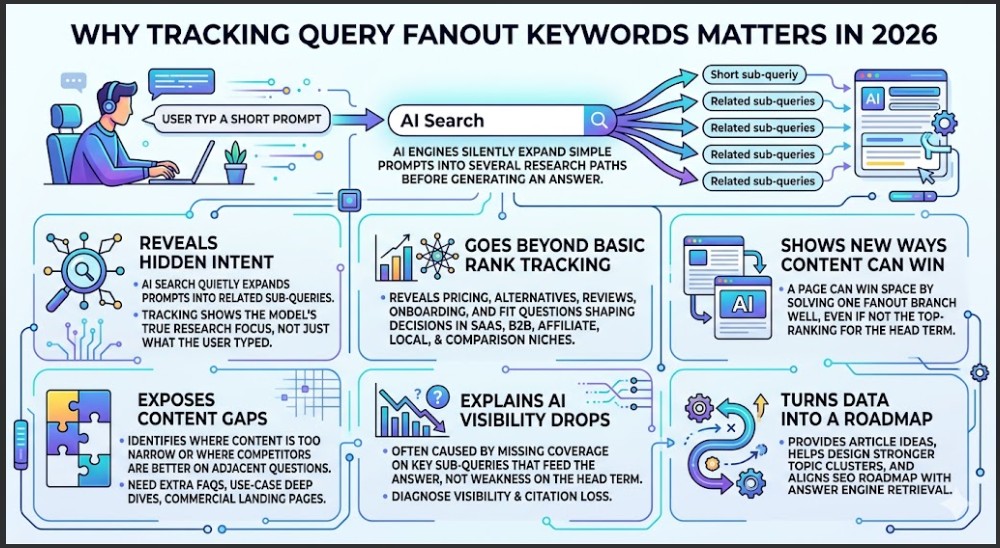
Tracking query fanout keywords matters more in 2026 because AI search has made hidden intent visible in a completely different way.
A person may type one short prompt, but the engine can silently expand it into several research paths before it decides which sources deserve space in the final answer.
Here are the reasons why Tracking Query Fanout Keywords Matters in 2026.
Reveals Hidden Intent
AI search engines take a simple query and quietly expand it into multiple related sub-queries before assembling an answer, so tracking fanout keywords shows you what the model is really researching, not just what the user typed.
Goes Beyond Basic Rank Tracking
Classic keyword tracking focuses on one primary term and a few close variations, but fanout analysis reveals the pricing, alternatives, reviews, onboarding, and fit questions that actually shape decisions in SaaS, B2B, affiliate, local, and comparison-heavy niches.
Shows New Ways Content Can Win
In AI search, a page can be pulled into an answer because it solves one fanout branch extremely well, even if it is not the top-ranking result for the main keyword, so fanout tracking exposes opportunities you would miss by looking at head terms alone.
Exposes Content Gaps
When you map fanout queries, you can see where your content is too narrow, where competitors are answering adjacent questions better, and where you need extra comparison pages, FAQs, use-case deep dives, or commercial landing pages.
Explains AI visibility Drops
If a brand stops appearing in AI answers, the cause is often missing coverage on key sub-queries that feed the answer, rather than weakness on the head term, so tracking fanout keywords makes it possible to diagnose why visibility and citations moved.
Turns data into a Roadmap
Ongoing fanout tracking gives you a steady stream of new article ideas, helps you design stronger topic clusters, and keeps your SEO roadmap closer to how answer engines actually retrieve and combine information.
5 Best Tools to Track Query Fanout Keywords in 2026
Radarkit
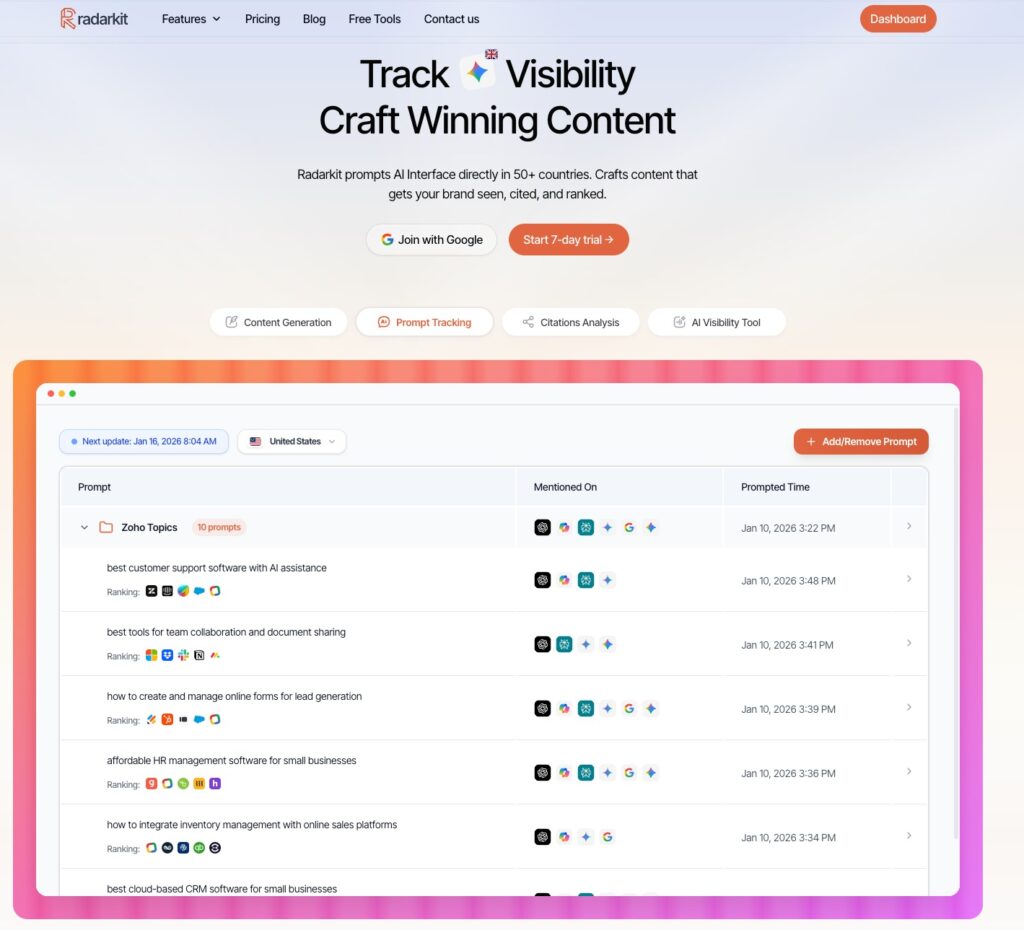
Radarkit is the strongest tool in this list of “5 Best Tools to Track Query Fanout Keywords in 2026” because it is built for AI search tracking in a way that feels much closer to how real teams work.
Instead of giving you only a basic query expansion view, it ties fanout tracking to broader AI visibility measurement, which makes the data much more useful once you move beyond research and start making decisions.
That matters because fanout keywords on their own are only half the picture. The bigger question is whether those hidden queries actually help your brand show up, get cited, and hold ground against competitors inside AI answers.
Radarkit stands out because it tracks prompts directly on AI platforms through real browser-based prompting and connects that activity to citation and share of voice reporting.
That gives marketers something much more practical than a loose list of related queries.
You can connect prompt behavior to visibility outcomes, which is exactly what most teams need when they are trying to justify content updates, monitor brand presence, or explain performance shifts in AI search.
It is also the most rounded option for agencies and in-house teams that want one workflow for research, monitoring, and reporting.
Steps to Track Query Fanout Keywords using Radarkit
Tracking query fanout keywords using Radarkit is very simple and can be done in a few steps.
Add Your Project
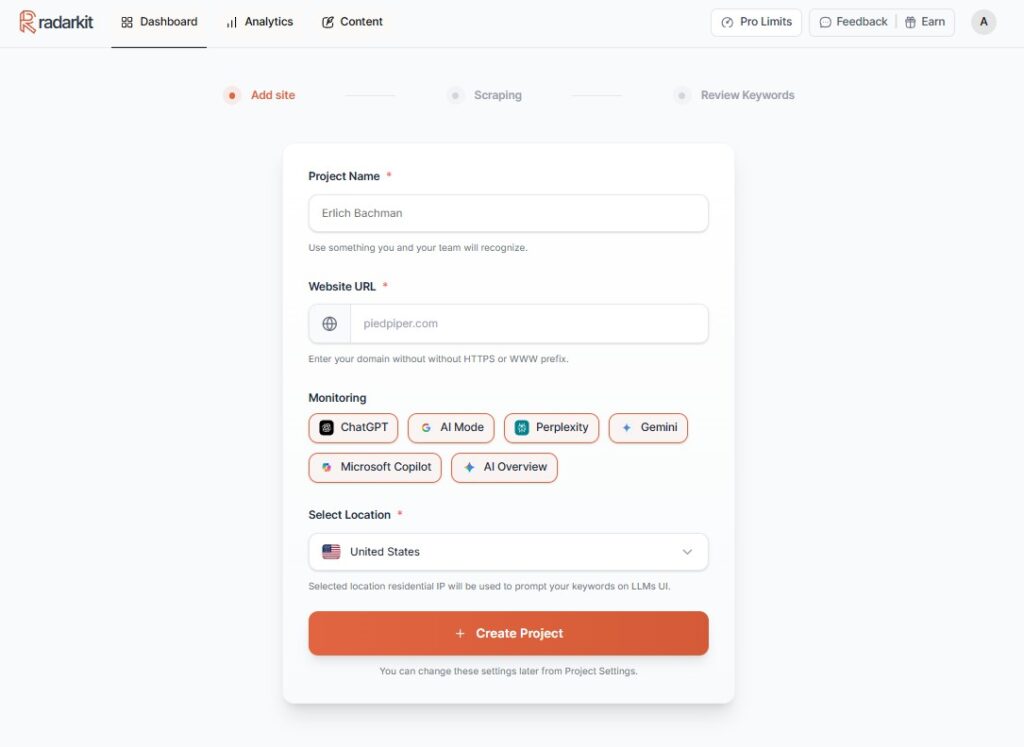
The first step is to add your project. All you have to enter is your Project name, website URL, select search engines, and the location for which you are tracking the Query Fanouts.
Navigate to Query Fanouts
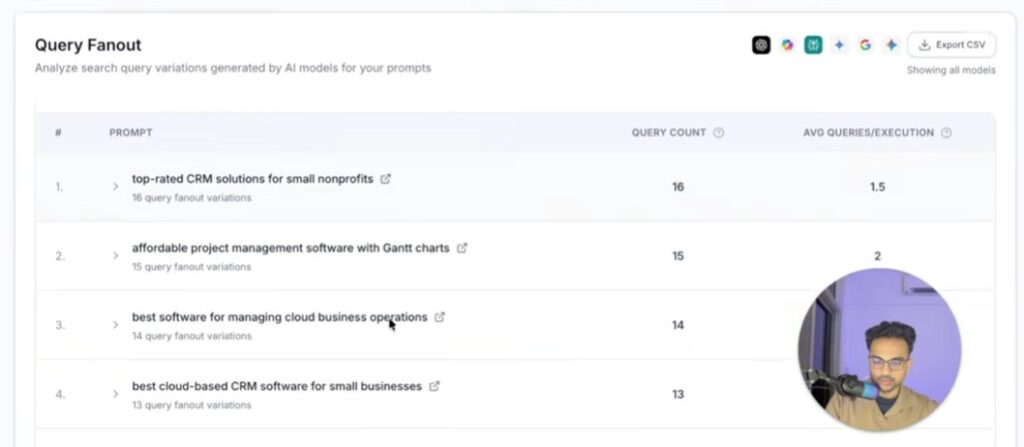
Once your project is added, open the dashboard and navigate to query fanouts. Here you will see all the KWs you are targeting for your project.
Track Query Fanout Keywords
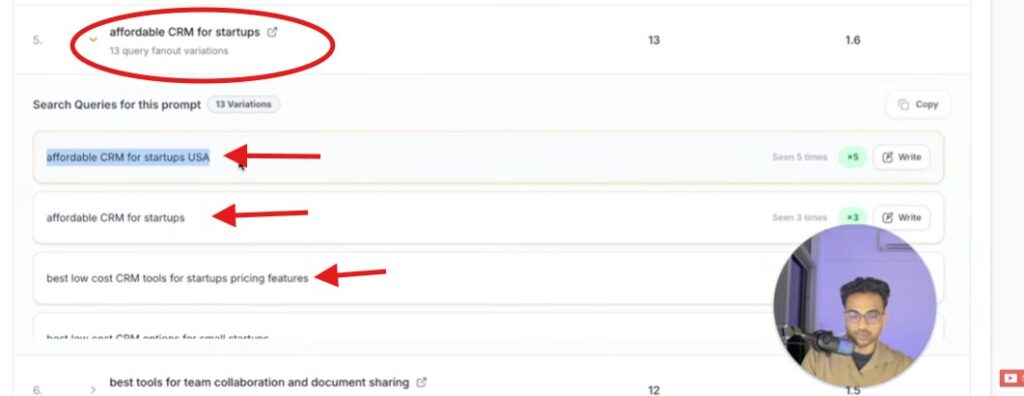
The last step is to track the Query Fanout keywords. Suppose your main keyword is “Affordable CRM for startups.” Radarkit will show you the other query fanout variations related to your main keyword so you can cover all the topics that are ranking in AI search engines.
Other Radarkit Standout Features
- AI Share of Voice: Identify exactly which sites AI Chatbots trust most for your query vs. competitors.
- Location-Based Tracking: Simulate real-time queries from 40+ countries using residential proxies to catch local citations and geo-specific data.
- NLP & Fact-Based Content: Create content using the specific NLP terms and entities found in most cited sources to rank in AI search engines.
- 1-Click GEO Content Writer: Generates optimized content that ranks in LLMs in 5 minutes without needing Google Search Console.
- AI Traffic Monitoring: See which AI platforms (ChatGPT, Perplexity, Gemini, Copilot) send actual visitors to your site.
Radarkit Pricing
| Plan | Price | Best for | Projects | Prompts tracked | Refresh |
|---|---|---|---|---|---|
| Lite | $29/mo | Individuals | 2 | 15 | Every 72 hours |
| Growth | $79/mo | Advanced users | 5 | 50 | Daily |
| Pro | $139/mo | Small teams | 10 | 100 | Daily |
| Enterprise | Custom | Larger teams | Custom | Custom | Custom |
LLMrefs
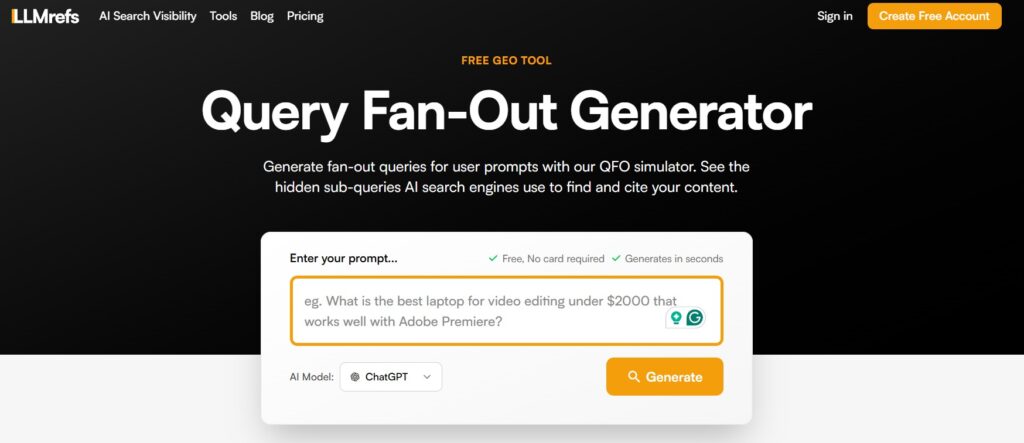
LLMrefs is a solid option for quick query fanout exploration. Its Query Fan-Out Generator is built to show how platforms like Google AI Mode, ChatGPT Search, and Perplexity can break one prompt into several underlying searches.
If your main goal is to test ideas, map hidden search branches, or get a faster view of what an answer engine may be thinking behind the scenes, it is a useful tool to keep around
The issue is that LLMrefs feels lighter once you move from research into ongoing tracking. It helps with exploration, but it does not appear to offer the same level of connected reporting, citation visibility, or workflow depth as Radarkit AI.
Key Features
- Tracks AI SEO visibility for keywords across ChatGPT, Google AI Overviews, Perplexity, and other answer engines.
- Monitors how often your pages and domains are cited inside AI-generated answers.
- Let’s you group and track topics or campaigns, not just single prompts.
- Exports AI visibility data to CSV for deeper analysis and reporting.
- Offers API access so you can pipe data into BI tools and custom dashboards
Where it works well
LLMrefs works well for SEO and content teams that want a straightforward way to see where their brand appears inside AI answers across multiple assistants and how that changes over time.
It also fits agencies that need exportable data and API access to integrate AI visibility into existing BI or reporting setups without adding another closed reporting silo.
Plan and Pricing
LLMrefs runs on a freemium model, with a free plan for testing and a paid plan that starts around $79/month.
Profound
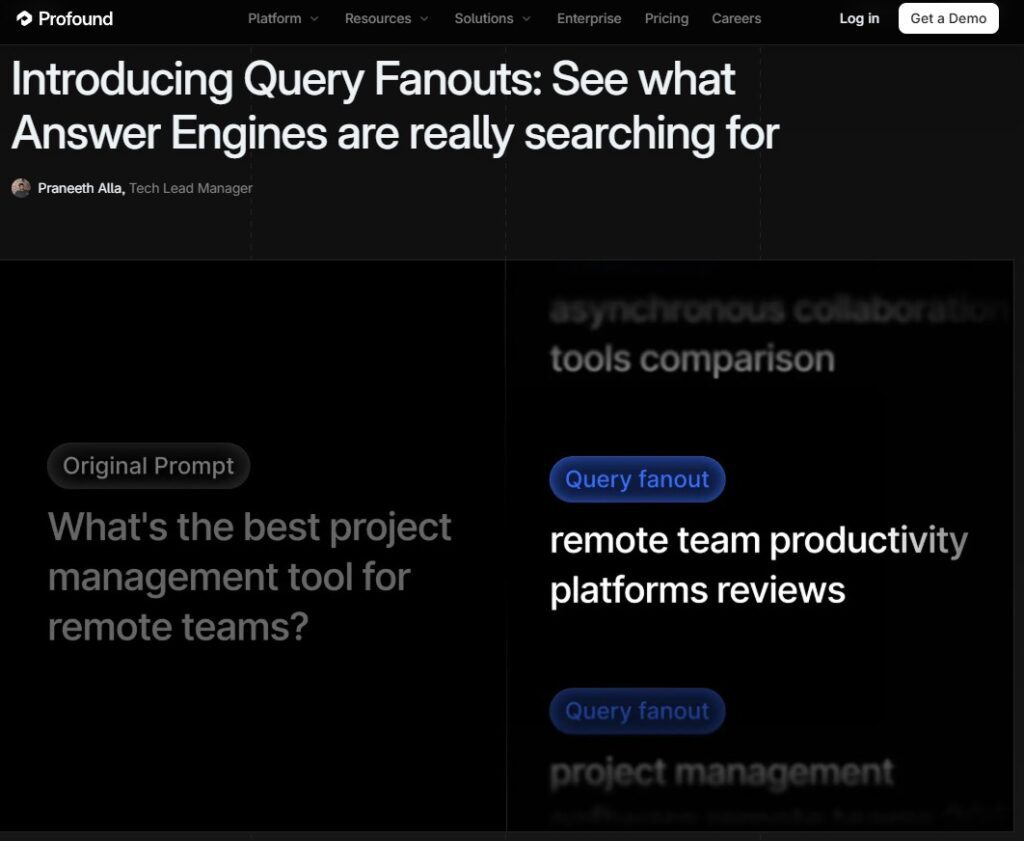
Profound is a serious player on the list of “Best Tools to Track Query Fanout Keywords.” It has put real focus on it, which makes it useful if you want to see the hidden search layer that sits behind AI answers.
It helps larger teams understand why certain brands keep getting pulled into responses while others are left out, and how small changes in prompts can shift discovery long before that shows up in standard traffic reports.
It makes the most sense for companies that care about strategy, trends, and brand presence across multiple answer engines, not just quick keyword checks.
You are looking at patterns in how AI systems refine intent and how your content performs across those refined paths, rather than just a list of expanded queries.
The trade-off is that Profound can feel heavy for smaller teams that mainly want fast research or simple reporting. It is powerful, but if you just need light planning or basic monitoring, it may feel like more platform than you really need.
Key Features
- Tracks brand visibility across major AI models and answer engines such as ChatGPT, Google AI Mode, and others.
- Shows query fanouts so you can see how answer engines expand and refine user prompts.
- Measures visibility scores and share of voice against key competitors in AI search.
- Breaks down which prompts, entities, and topics drive your AI visibility over time.
- Includes dashboards and reports tailored to enterprise and GEO-style workflows.
Where it works well
Profound works best for enterprise and upper mid-market teams that want a deeper competitor view and more advanced reporting around AI visibility, sentiment, and answer composition.
It is a strong fit when you need to compare how your brand and competitors perform across multiple AI platforms and want that view tied into strategy and executive-level reporting.
Plan and Pricing
| Plan | Price | Best for | Notes |
|---|---|---|---|
| Starter | $99/month | Solo users | ChatGPT tracking only. |
| Growth | $399/month | Growing teams | Adds more platforms like Perplexity and Google AI Overviews, plus content creation. |
| Enterprise | Custom | Larger teams | Includes 10 answer engines, SSO, SOC2, and dedicated support. |
Otterly
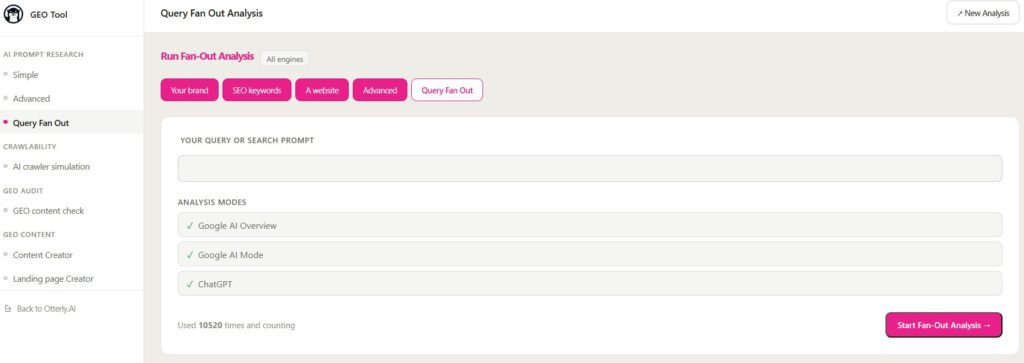
Otterly leans more toward AI search monitoring than other pure best tools to track Query Fanout keywords. It tracks brand presence, visibility, sentiment, competitors, and links across AI-powered search experiences, so you get a clear view of how your brand shows up after AI systems build their answers.
This makes it useful if you care about how often you are mentioned, how visible competitors are, and whether AI answers are pointing to the right pages. It is a practical monitoring layer for marketing, brand, and SEO teams that want a broader picture of AI presence, not just input query expansion.
Key Features
- Monitors how often your brand appears in AI-powered search experiences.
- Tracks sentiment around your brand mentions inside AI answers.
- Highlights which competitors show up next to you in AI search and how often.
- Surfaces links and destinations used in AI responses so you can see where traffic might flow.
- Groups AI search data into clear, flexible reports for marketing and brand teams
Where it works well
Otterly works well for brands and agencies that care mostly about AI search monitoring and reputation rather than deep fanout keyword analysis. It is a good fit when the priority is to keep an eye on how AI systems talk about you, which competitors are getting visibility, and whether links in AI answers actually point to your preferred pages.
Plan and Pricing
| Plan | Price (monthly) | Search prompts | AI search engines included | API access | GEO URL audits/month |
|---|---|---|---|---|---|
| Standard | $189 | 100 | ChatGPT, Google AI Overviews, Perplexity, MS Copilot | Yes (2,000 requests/mo) | 5,000 |
| Premium | $489 | 400 | Same 4 engines | Yes (5,000 requests/mo) | 10,000 |
| Enterprise | Custom | Custom | Custom + all above | Yes | Custom |
Wellows
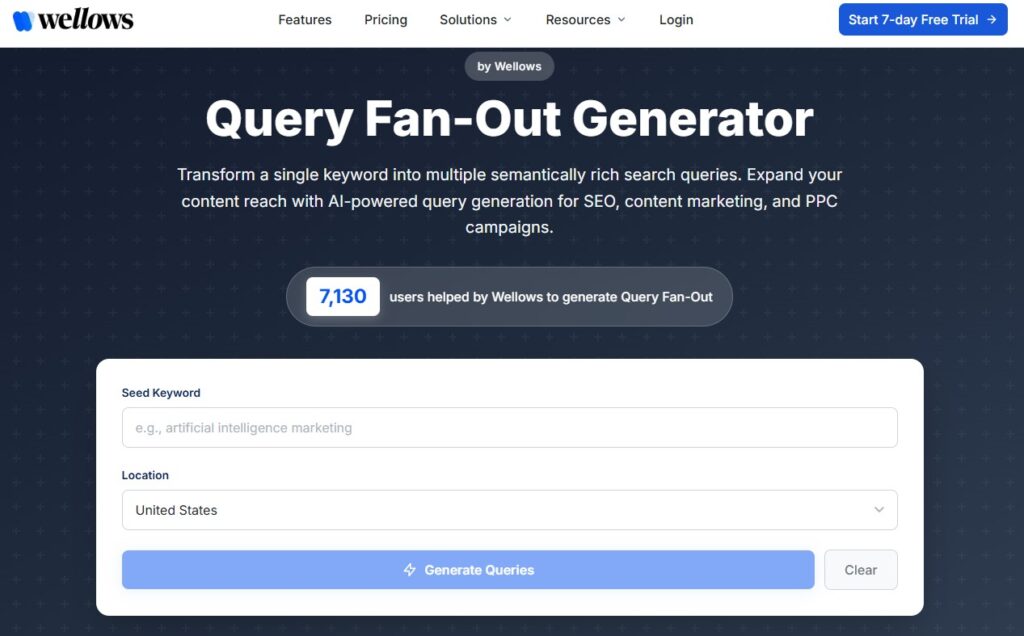
Wellows earns its spot on “best tools to track Query fanout keywords” because its Query Fan-out Generator has a very straightforward job. You give it a keyword, and it expands that term into semantically related search queries, which is handy when you want to brainstorm angles, map supporting topics, or turn one main topic into a broader content cluster.
The downside is that Wellows is much closer to a generator than a full monitoring platform. It can help you discover branches, but it does not offer the deeper AI visibility, citation tracking, and reporting layer that a tool like Radarkit gives once you move from planning into ongoing performance analysis
Key Features
- Tracks how your brand is mentioned and cited across ChatGPT, Gemini, Perplexity, Copilot, and Google AI experiences.
- Calculates an AI Visibility Score for each domain so you can compare performance over time.
- Shows which prompts and topics you already win citations for and where you are missing.
- Surfaces citation gaps and outreach opportunities when answer engines mention topics but not your brand.
- Supports multi-domain and multi-engine tracking for agencies and larger teams.
Where it works well
Wellows works well for agencies and brands that want prompt-based AI visibility tracking across multiple assistants and need clear metrics around citations and gaps.
It is especially useful when you want to align SEO and PR work with AI search, since it highlights where you are already winning citations and where you should improve content or outreach to claim more space in answers.
Plan and Pricing
| Plan | Price / domain | Answer engines | Prompts tracked | Content generations | Responses analyzed | Strategic calls |
|---|---|---|---|---|---|---|
| Essential | $97/mo | 2 (ChatGPT, AI Overviews) | 100 | 5 | 6,000 | 2 / month |
| Starter | $297/mo | 5 (ChatGPT, Gemini, Perplexity, AI Overviews, AI Mode) | 400 | 15 | 60,000 | 3 / month |
| Pro | $497/mo | 5 (same as Starter) | 1,000 | 70 | 150,000 | 5 / month |
How We Chose the Best Tools to Track Query Fanout Keywords
Ability to surface fanout queries
A good tool has to show how a prompt branches into related searches. If it cannot reveal the hidden questions, comparisons, and reformulations behind a main query, it is not really tracking fanout.
This is also where generators and full trackers split apart, because the stronger tools go beyond simple expansion and show query behavior you can actually use in SEO work.
Visibility tracking across AI search
Fanout data is more useful when it is tied to AI visibility. A strong tool helps you see if your brand appears, how often competitors show up, which pages earn citations, and how this changes over time. Without that context, fanout research turns into disconnected data instead of something you can act on.
Content gap analysis
The best fanout tools help you turn research into content moves. They highlight the subtopics, questions, comparisons, and angles your current content does not cover well enough, which matters because AI systems often reward complete topic coverage, not just one page aimed at one keyword. That makes it easier to write better briefs, expand clusters, and align pages with how answer engines expand user intent.
Ease of reporting and workflow
Finally, the tool has to fit into real workflows. If reporting is hard to explain or disconnected from ongoing monitoring, people try it once and move on. Radarkit stands out here because it mixes prompt tracking, visibility measurement, and report-friendly outputs in a way that teams can use week after week, not just as a one-off analysis.
FAQs
What is the difference between query fanout keywords and traditional keywords?
Traditional Keywords are small edits of the same phrase. Query Fanout keywords include hidden comparisons, follow-up questions, product angles, and intent refinements that AI engines generate behind the scenes before answering.
Can a page show up in AI answers without targeting the main prompt directly?
Yes. A page can be pulled into AI answers because it answers one fanout branch extremely well, even if it is not optimized for the original head term.
Which teams benefit most from tracking query fanout keywords?
SEO, content, demand gen, and brand teams get the most value, especially in SaaS, B2B, ecommerce, local, and other high-consideration categories where users compare options and ask layered follow-up questions.
Should small teams use a generator or a full tracking platform?
If you mainly want ideas and branches, a generator like Wellows or simple fanout tools from LLMrefs or Otterly can be enough. If you care about ongoing AI visibility, reporting, and share of voice, a fuller platform like Radarkit is a better fit.
How often do query fanout paths change?
They can shift frequently as AI systems get new content, prompts, and model updates, so fanout research works best as an ongoing process, not a one-time project, especially in competitive spaces.
Conclusion
AI search is now built on query fanout, which means one prompt often turns into a whole cluster of hidden searches before an answer appears. If you ignore those branches, you are guessing where to focus your content instead of working from real AI behavior.
Best tools to Track Query Fanout keywords like Radarkit, LLMrefs, Profound, Otterly, and Wellows help you see those paths, track how often your brand shows up in answers, and spot the gaps that are holding you back.
The brands that take query fanout seriously in 2026 will be the ones that stay visible inside AI-generated answers while everyone else is still staring at old-fashioned keyword reports.