In this article, we compare 7 of the best Prerender alternatives for businesses that need better search visibility, AI-search accessibility, and technical SEO support for JavaScript-heavy websites.
Prerender.io is a solid rendering platform, but it is not always the right fit for every business, especially when pricing, setup requirements, or a limited feature set do not match your team’s actual needs.
Quick Pick Criteria
-
Best overall Prerender.io alternative: Encited
-
Best for AI search visibility tracking: RadarKit AI
-
Best for no-code and DNS-based setup: Hado SEO
-
Best direct dynamic rendering option: SEO4Ajax
-
Best for developers building their own setup: Cloudflare
-
Best for hosting a custom SSR or rendering stack: Render
-
Best for crawl diagnostics and log analysis: JetOctopus
The right choice depends on the real issue behind your search visibility problem. If crawlers cannot access JavaScript-rendered content, a direct rendering tool is usually the fastest answer.
If the site is already crawlable but your team cannot measure bot behavior, indexation, AI mentions, or technical issues, supporting Prerender Alternatives may provide more value.
Best Prerender Alternatives at a Glance
| Tool | Core role | Best for | Key features | Starting price |
|---|---|---|---|---|
| RadarKit AI | AI search visibility and citation tracking platform | Brands and agencies tracking mentions, citations, competitors, and share of voice across AI search platforms | AI visibility tracking, citation analysis, competitor share of voice, query fan-out tracking, local AI visibility, Content Agent, Outreach Agent, white-label reports, API, and MCP access | $29/month |
| Encited | Managed prerendering, technical SEO, and AI visibility platform | Teams that want JavaScript rendering, indexation workflows, audits, and AI visibility in one tool | Semantic HTML rendering, AI-friendly Markdown delivery, CDN caching, technical SEO audits, Index Rush, crawl-log analysis, AI visibility tracking, content workflows, sitemap monitoring, and MCP access | $19/month |
| Rendertron | Cloud application and infrastructure platform | Developers hosting custom SSR, static generation, rendering APIs, cron jobs, workers, and databases | Web Services, Static Sites, Private Services, Background Workers, Cron Jobs, Workflows, Render Postgres, Key Value, preview environments, Git deployments, and rollbacks | $25/mo |
| Cloudflare | CDN, security, DNS, caching, and edge-compute platform | Development teams building custom edge rendering, bot routing, caching, and security workflows | Global CDN, DNS, Cache Rules, Workers, WAF, DDoS protection, Bot Management, Queues, R2 storage, Workers AI, AI Gateway, and edge request routing | $20 |
| Hado SEO | DNS-based JavaScript rendering and SEO platform | Lovable, Replit, Base44, Bolt, and other AI-built apps that need a no-code SEO fix | DNS-based rendering, bot detection, server-rendered HTML, social preview fixes, SEO audits, SEO Trace, metadata checks, robots.txt controls, sitemap tools, HTTPS, and edge caching | $19/month |
| JetOctopus | Technical SEO crawler and log-analysis platform | Large websites that need to study crawlability, crawl budget, indexation, and Googlebot activity | Cloud website crawler, Log Analyzer, Google Search Console reporting, crawl-budget analysis, indexability checks, SEO alerts, scheduled crawls, visual reports, and multi-project management | Custom pricing |
| SEO4Ajax | Managed dynamic rendering platform | Established React, Vue, Angular, AJAX, and SPA websites that need crawler-ready HTML | Dynamic rendering, crawler-ready HTML snapshots, framework compatibility, Apache and Nginx support, REST API, cache freshness controls, bot activity reporting, duplicate-content checks, and broken-link monitoring | $ 549 / month |
What Is Prerender.io?
Prerender.io helps JavaScript websites deliver crawler-friendly HTML. It creates a rendered version of a page after JavaScript loads, then serves that version to search engines and approved crawlers. Human visitors continue to see the normal JavaScript application.
This approach is useful for React, Vue, Angular, Next.js, Vite, and other client-side applications where key information loads after scripts run. For example, a product page may initially return a nearly empty HTML shell, while the title, price, product description, images, reviews, and structured data appear only after JavaScript execution.
How Prerender.io works
A crawler visits a page and is identified by the rendering setup. The rendering platform loads the requested URL in a browser environment, waits for the page to finish loading, captures the completed HTML, and stores it in a cache.
On future crawler visits, the cached page version can be delivered quickly. That gives bots access to meaningful HTML content instead of requiring them to execute every script, wait for API calls, and process client-side changes.
Many businesses evaluate Prerender Alternatives because rendering is only one part of technical visibility. They may also need indexing workflows, crawl-log analysis, better cache controls, AI mention tracking, content guidance, or a deployment method that does not require server changes.
Who should use Prerender.io?
Prerender.io can be useful for websites that depend heavily on client-side rendering and cannot rebuild immediately. It often suits ecommerce sites, marketplaces, product directories, SaaS applications, job boards, travel sites, and large content platforms with many dynamic URLs.
It is also useful for teams that want an immediate improvement while preparing for a future migration to server-side rendering or static generation. Instead of waiting months for a complete rebuild, they can make important pages easier for crawlers to access now.
How We Chose the Best Prerender Alternatives
Reliability When Handling JavaScript-Heavy Pages
A useful rendering solution must consistently process pages that depend on React, Vue, Angular, Next.js, Vite, AJAX, and other JavaScript frameworks. We looked at whether each platform can handle dynamic page content, delayed API calls, product data, client-side metadata, interactive elements, and content that appears after scripts load.
Reliable handling matters because an incomplete HTML snapshot can create more problems than it solves. A crawler should receive the same important page information that a visitor sees, including titles, headings, body content, internal links, product details, canonical tags, and structured data.
Search-Engine and AI-Crawler Accessibility
We considered how well each option supports access for Googlebot, Bingbot, social crawlers, and AI crawlers. The goal is not only to make pages indexable in traditional search, but also to ensure important content can be processed by AI search tools and answer engines.
A strong platform should help crawlers access clean, meaningful HTML. It should also support content signals such as metadata, schema markup, canonical tags, Open Graph data, robots directives, and XML sitemaps where relevant.
Setup Complexity for Marketing Teams and Developers
The best choice depends heavily on who will implement and manage it. Some businesses have developers who can configure edge workers, reverse proxies, APIs, and caching logic. Others need a simple dashboard or DNS-based method that can be set up without editing application code.
We considered whether each tool requires code changes, middleware installation, server configuration, CDN rules, DNS updates, developer support, or a complete frontend rebuild. A platform can be technically powerful, but it may not be the right option if the setup is too demanding for the available team.
Cache Controls and Content-Refresh Behavior
Rendering is not a one-time task for most websites. Product prices change, inventory updates, new pages are published, content gets refreshed, and metadata evolves. The platform needs a practical way to keep crawler-facing HTML current without unnecessary re-rendering.
We reviewed cache controls, refresh timing, page invalidation options, scheduled refreshes, cache rules, and how platforms handle new or changed URLs. This is especially important for ecommerce websites, marketplaces, job boards, travel platforms, and large directories where content changes frequently.
Support for Modern JavaScript Frameworks
A rendering solution should work with the frontend framework a business already uses. We considered support for React, Vue, Angular, Next.js, Nuxt, Vite, SvelteKit, Astro, and JavaScript-heavy single-page applications.
Framework support is not only about loading a page. It also includes whether the tool can handle client-side routing, API-loaded content, dynamic metadata, lazy-loaded modules, interactive components, and application routes that do not behave like traditional static pages.
Technical SEO Features Beyond Page Rendering
Rendering helps crawlers access content, but it is only one part of technical SEO. We gave additional value to platforms that include page audits, crawl diagnostics, log-file analysis, indexation checks, sitemap tools, robots.txt controls, duplicate-content checks, canonical reviews, and structured-data validation.
These features help teams find the actual reason a page is not performing. For example, a page may already be rendering correctly but still have a noindex tag, broken canonical, poor internal linking, blocked resources, or a sitemap issue.
Pricing Transparency and Practical Entry Cost
We looked at whether each tool clearly explains its pricing model and gives businesses a realistic way to estimate cost before committing. Rendering tools may charge by page, render, cache refresh, request, browser time, project, or monthly usage allowance.
A low starting price is useful, but it is not the only factor. We also considered whether a plan includes enough capacity for the site’s size, whether overages are easy to understand, and whether a business can test the product through a free plan or trial.
Scalability for Large Websites and Product Catalogs
A small marketing website and a 100,000-page ecommerce store have very different needs. We considered whether the platform can support large URL inventories, regularly changing product pages, category pages, location pages, faceted navigation, and high crawler activity.
Scalability also includes the ability to manage multiple websites, teams, client projects, user permissions, reporting needs, and large amounts of crawl or log data. This matters for agencies, marketplaces, publishers, enterprise SaaS companies, and global ecommerce brands.
Access to Logs, Reports, APIs, and Integrations
Good visibility helps teams verify that their technical work is producing the intended result. We considered whether tools offer crawler logs, bot activity data, rendering reports, AI visibility reports, dashboards, APIs, exports, and integrations with platforms such as Google Search Console, Google Analytics, WordPress, and MCP-compatible tools.
These capabilities are valuable because they make it easier to diagnose problems, share progress with stakeholders, automate recurring tasks, and connect rendering data with broader SEO reporting.
Long-Term Suitability for the Site’s Architecture
Finally, we considered whether each option can support the website’s future plans. Dynamic rendering may be the fastest way to improve a client-side application today, but server-side rendering or static generation may be a better long-term choice for a site that is already undergoing a redesign.
Some businesses need a managed service that removes technical work. Others need full control through custom infrastructure. The best option is the one that solves the immediate crawlability problem without creating an unrealistic maintenance burden later.
7 Best Prerender Alternatives in 2026
1. RadarKit AI: Best for AI Search Visibility Tracking
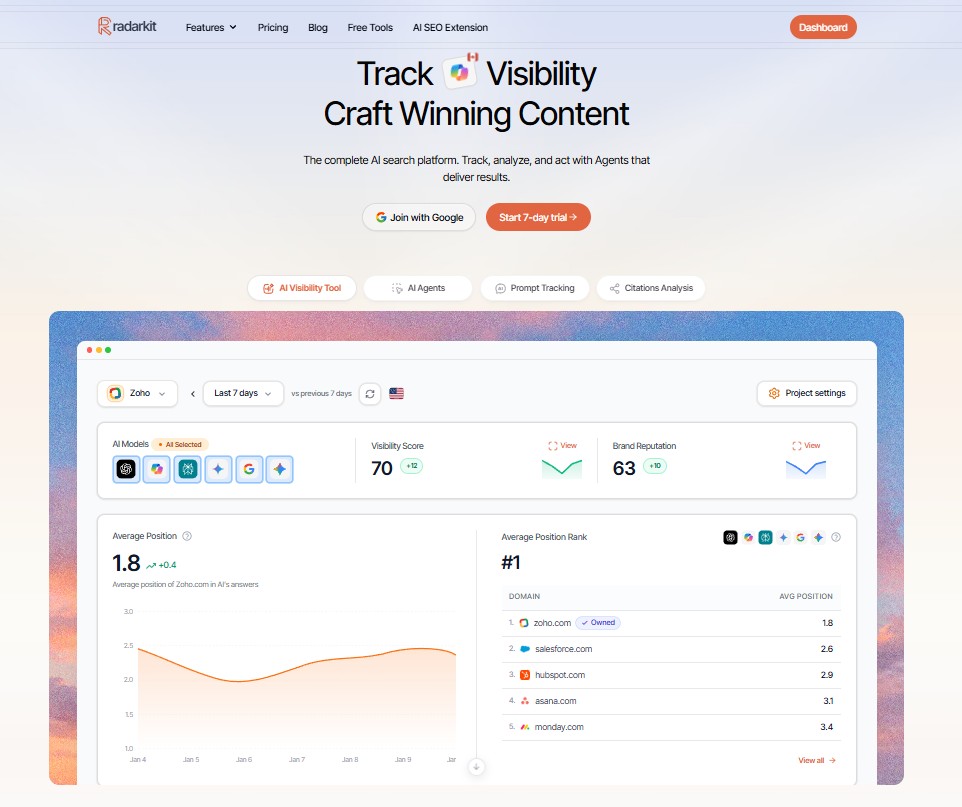
RadarKit AI is not a direct dynamic-rendering replacement. It is an AI search visibility platform that helps brands understand how often they appear in AI-generated answers, which competitors are mentioned, which websites get cited, and what actions can improve visibility.
That makes RadarKit AI one of the most useful supporting Prerender Alternatives for companies that have already addressed basic crawlability and now want to measure their presence across AI search experiences. Rendering can make content accessible, but it does not automatically guarantee that an AI model will mention your brand. RadarKit helps teams measure that next stage.
Key features
-
-
AI visibility tracking: Monitor whether a brand appears in AI responses for important prompts.
-
Brand appearance rate: Measure how often a company, product, or domain appears in tracked AI answers.
-
Average position tracking: Review where a brand usually appears in AI recommendation lists.
-
Competitor monitoring: Track competing brands, products, domains, and businesses that AI systems recommend.
-
Sentiment and brand reputation insights: Understand whether AI systems present a brand positively, neutrally, or negatively.
-
ChatGPT tracking: Monitor brand visibility and competitor mentions in ChatGPT responses.
-
Perplexity tracking: Study how a brand appears in Perplexity answers and cited results.
-
Gemini tracking: Track recommendations and citations within Gemini responses.
-
Microsoft Copilot tracking: Monitor brand visibility in Copilot answers.
-
Google AI Overviews tracking: Track how a business appears in Google AI-generated search summaries.
-
Google AI Mode tracking: Monitor visibility in Google AI Mode experiences.
-
Query Fanouts: Discover related questions, supporting queries, subtopics, and topic angles connected to an AI search prompt.
-
Citation tracking: Review the websites, domains, and individual URLs cited in AI-generated answers.
-
Citation share insights: See which sources are cited most frequently across tracked prompts.
-
Content-type analysis: Identify whether AI answers commonly cite guides, comparisons, reviews, forums, product pages, social platforms, or other content formats.
-
Competitor citation analysis: See the pages and domains that support competitor visibility.
-
Local Radar: Track local AI recommendations for city, neighborhood, and “near me” searches.
-
Local competitor research: Compare local businesses based on recommendation position, appearance rate, review count, ratings, and AI visibility.
-
Content Agent: Create or optimize content using AI prompt data, query fanouts, citations, competitor insights, and relevant entities.
-
Plan Agent: Turn AI visibility findings into prioritized content, optimization, outreach, and tracking tasks.
-
Outreach Agent: Identify domains that cite competitors, research outreach opportunities, and prepare personalized outreach activity.
-
Reddit Agent: Study community conversations, competitor mentions, user concerns, and relevant Reddit threads.
-
Chat Agent: Ask questions about AI visibility data and receive direction inside the platform.
-
AI traffic analytics: Monitor traffic and performance connected to AI search visibility.
-
Google Analytics integration: Connect website traffic reporting with AI search performance.
-
Google Search Console integration: Combine organic search insights with AI search data.
-
WordPress integration: Support content workflows for WordPress websites.
-
Shopping Radar: Monitor AI product visibility, seller information, pricing, and ratings.
-
Ads Radar: Monitor advertising activity connected to AI search topics and competitors.
-
Branded PDF reports: Create client-ready reports for agency and consultant work.
-
Client portal: Give clients a place to view AI search tracking data and campaign progress.
-
API and MCP access: Support advanced reporting, internal systems, and custom workflows.
-
Pros and cons
Pros
-
Tracks visibility across major AI search environments.
-
Useful for agencies, SaaS companies, ecommerce brands, and content teams.
-
Goes beyond rank tracking by showing citations and competitors.
-
Includes action-oriented agents for planning content and outreach work.
Cons
-
It does not generate crawler-facing HTML.
-
It is best used alongside a rendering or technical SEO solution when JavaScript crawlability is the core issue.
-
Prompt limits vary by plan, so teams should estimate tracking needs before subscribing.
Pricing
RadarKit AI starts at $29 per month for the Lite plan. This includes two projects and 15 tracked prompts.
The Growth plan costs $79 per month and includes five projects and 50 tracked prompts. The Pro plan costs $139 per month with 10 projects and 100 tracked prompts. Enterprise pricing is available for larger teams that need unlimited projects, custom tracking, dedicated support, and enterprise access controls.
Who should choose RadarKit AI?
Choose RadarKit AI if your site is already accessible to search bots but you need to understand AI-search performance. It is ideal for brands that want to track mentions, citations, competitor presence, prompt-level visibility, and content opportunities.
Among these Prerender Alternatives, RadarKit AI is the best fit for AI visibility measurement rather than JavaScript rendering itself.
2. Encited: Best Overall for Rendering, Technical SEO, and AI Visibility
Encited is one of the strongest all-in-one Prerender Alternatives because it combines dynamic rendering with technical SEO, indexation workflows, crawl analysis, and AI visibility features. It is designed for teams that want more than a simple HTML snapshot service.
The platform can turn JavaScript-rendered pages into crawler-accessible HTML and AI-friendly content formats. It also helps users identify technical issues, analyze site performance, inspect bot behavior, and track how brands appear in AI-driven search results.
Key features
-
Dynamic rendering that creates semantic HTML for search engine crawlers.
-
AI-focused page delivery designed to make content easier for AI agents to process.
-
CDN caching and configurable refresh behavior for rendered pages.
-
Technical SEO audits that identify common indexing, metadata, content, and crawling issues.
-
Indexation workflows for finding pages that may not be appearing in search results.
-
Crawl-log analysis for understanding search-engine bot activity.
-
AI visibility tracking for monitoring brand mentions, competitors, and cited pages.
-
Content planning features based on search data, page gaps, and topic opportunities.
-
MCP access for AI-assisted technical SEO and analysis workflows.
Pros and cons
Pros
-
Combines rendering and broader technical SEO work in one platform.
-
Useful for teams that want AI visibility features alongside crawler access.
-
Public pricing starts at an accessible level.
-
Works well for agencies and in-house marketing teams managing multiple SEO tasks.
Cons
-
The full feature set may be more than a small website needs.
-
Larger sites may need higher plans for increased rendering and audit capacity.
-
Teams should allocate time for setup, technical audits, and reporting workflows.
Pricing
Encited starts at $19 per month for the Basic plan. This plan includes approximately 10,000 renders and limited AI prompt tracking.
The Essential plan costs $49 per month and includes around 30,000 renders. The Business plan costs $149 per month with around 100,000 renders, while the Agency plan costs $349 per month and includes roughly 500,000 renders. Enterprise plans are available for organizations that need custom volume, dedicated queues, advanced security, or specialized support.
Who should choose Encited?
Choose Encited if you want Prerender Alternatives that cover rendering, crawling, indexation, technical audits, and AI search visibility from one dashboard. It is a strong choice for SaaS businesses, agencies, ecommerce sites, and content teams that want a broader SEO operating system.
3. Render: Best for Hosting a Custom SSR or Rendering Stack
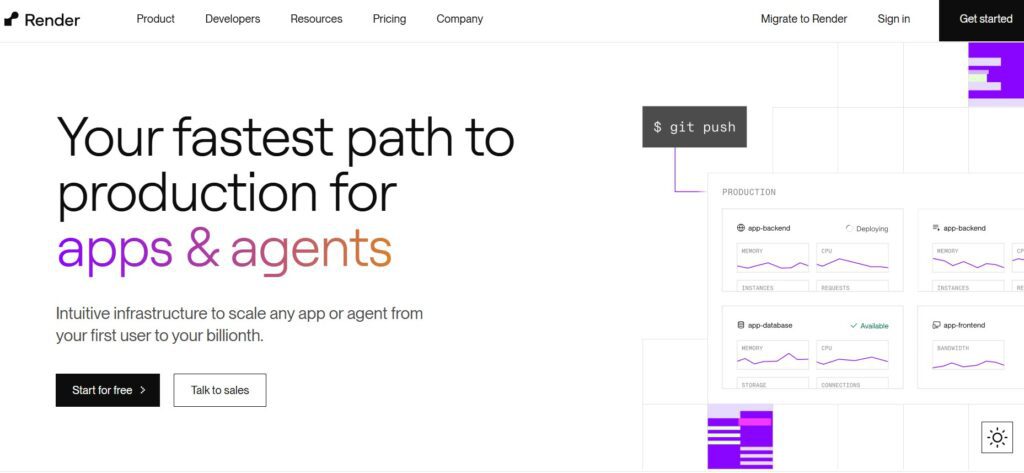
Render is a cloud platform for developers. It can host web services, static sites, private services, background workers, scheduled jobs, workflows, databases, and other application components.
Render is not a turnkey prerendering product. However, it is one of the more flexible Prerender Alternatives for teams that want to build their own rendering service, deploy server-side rendering, host a Next.js application, or run a custom browser-based HTML-generation workflow.
Key features
-
Managed web services for APIs, applications, and SSR websites.
-
Static-site hosting for prebuilt HTML, CSS, JavaScript, and media assets.
-
Background workers for asynchronous processing jobs.
-
Cron jobs for scheduled rendering, sitemap generation, content refreshes, and automated tasks.
-
Managed PostgreSQL databases for application data and backend services.
-
Key Value storage for caching and fast data access.
-
Preview environments for testing changes before production deployment.
-
Git-based deployment workflows with builds, deploys, rollbacks, and environment settings.
-
MCP support for managing selected infrastructure resources through AI-assisted workflows.
Pros and cons
Pros
-
A good choice for custom SSR, static rendering, or backend rendering systems.
-
Supports several app components in one managed cloud environment.
-
Suitable for teams using Git-based development and automated deployment.
-
Can scale from a small project to a more complex web application.
Cons
-
Does not automatically identify bots and serve prerendered snapshots.
-
Developers need to build caching, routing, bot verification, and monitoring logic.
-
Costs can grow when workloads require always-on services, databases, or large amounts of compute.
Pricing
Render offers a free compute plan with 512 MB RAM for testing, personal projects, and preview deployments, although free services have usage limits. Paid web-service compute starts at $7 per month for 0.5 CPU and 512 MB RAM, followed by $25 per month for 1 CPU and 2 GB RAM, $85 per month for 2 CPU and 4 GB RAM, and larger plans that scale up to 12 CPU and 96 GB RAM at $1,500 per month.
Who should choose Render?
Choose Render if you have developers who want to build their own server-side rendering or static-generation workflow. It is best for teams that need a flexible application-hosting platform rather than an out-of-the-box crawler rendering service.
For companies with a planned frontend rebuild, Render can support a move away from third-party dynamic rendering toward a more permanent HTML-first setup.
4. Cloudflare: Best for Custom Edge Rendering and Crawler Routing
Cloudflare is a global edge platform that provides CDN delivery, DNS, security, DDoS protection, web application firewall tools, bot controls, serverless functions, storage, and caching. It can be used to create a custom dynamic-rendering workflow at the network edge.
Cloudflare is not a direct managed rendering service, but it is one of the most powerful Prerender Alternatives for development teams with advanced requirements. A company can use Workers to detect crawlers, route requests, retrieve cached HTML, request new renders, and manage response behavior without placing all logic on an origin server.
Key features
-
Global CDN for fast asset delivery and cached page responses.
-
Cloudflare Workers for serverless functions and custom request routing.
-
Cache controls for storing rendered pages closer to crawler locations.
-
DNS management, SSL, DDoS protection, WAF rules, and traffic controls.
-
Bot management capabilities for identifying and controlling automated traffic.
-
Queues, scheduled tasks, storage, and edge data tools for custom workflows.
-
Workers AI for teams building AI-related application features.
-
AI Gateway tools for managing and monitoring AI model requests.
-
Broad support for custom edge logic across websites, APIs, and applications.
Pros and cons
Pros
-
Provides high flexibility for custom rendering and caching architectures.
-
Combines security, CDN delivery, DNS, and edge computing in one ecosystem.
-
Can support very high traffic volumes when configured correctly.
-
Useful for companies that already use Cloudflare for website infrastructure.
Cons
-
It is not a plug-and-play rendering platform.
-
Requires development knowledge to build and maintain the workflow.
-
Teams must design their own bot detection, rendering triggers, cache invalidation, and monitoring.
-
Custom solutions can become complex without clear ownership.
Pricing
Cloudflare offers a free website plan for personal and hobby projects. Its Pro plan costs $20 per month when billed annually or $25 per month when billed monthly, while the Business plan costs $200 per month annually or $250 per month monthly
Who should choose Cloudflare?
Choose Cloudflare if you already have an experienced development team and want full control over your rendering setup. It is a good fit for enterprise websites, high-traffic platforms, and businesses that want caching, security, bot management, and request routing under one infrastructure provider.
Cloudflare is among the best Prerender Alternatives for custom engineering, but it is not the easiest choice for non-technical teams.
5. Hado SEO: Best No-Code and DNS-Based Prerender.io Alternative
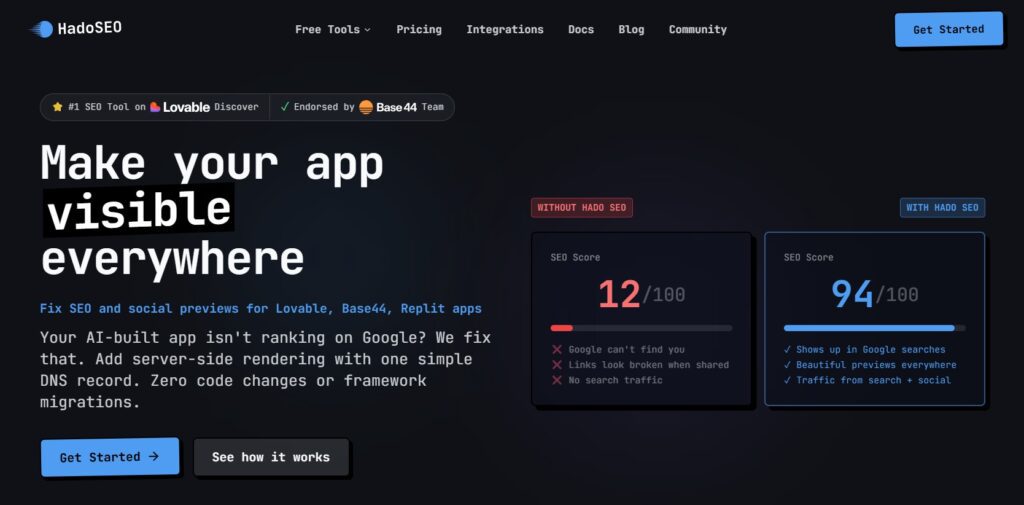
Hado SEO is built for JavaScript-heavy applications, especially websites created with Lovable, Base44, Replit, Bolt, Vercel, Netlify, and similar platforms. Its main advantage is a DNS-first setup that avoids direct code changes.
Instead of asking a user to install middleware or modify application logic, Hado SEO routes crawler traffic through its rendering system after a DNS configuration change. This makes it one of the most accessible Prerender Alternatives for teams with limited technical resources.
Key features
-
DNS-based setup that can avoid code-level implementation.
-
Server-rendered HTML for search engine and crawler requests.
-
Bot detection that separates crawler traffic from normal visitor traffic.
-
Delivery of metadata, headings, canonical tags, Open Graph data, and key content.
-
Social-sharing preview support for links shared across major social platforms.
-
SEO health checks for titles, descriptions, headings, images, and internal links.
-
SEO Trace workflows that help identify ranking issues and create implementation guidance.
-
Robots.txt and sitemap controls for supported site setups.
-
Edge caching, HTTPS support, and global delivery infrastructure.
Pros and cons
Pros
-
One of the easiest options for AI-built apps and JavaScript sites.
-
No-code setup can reduce developer dependency.
-
Includes SEO diagnostics along with rendering.
-
Published plans include unlimited monthly renders.
Cons
-
Each plan has page limits, even though rendering volume is not capped.
-
Very large enterprise websites may need a custom solution or a higher plan.
-
It is more focused on modern app builders than highly customized legacy systems.
Pricing
Hado SEO starts at $19 per month for the Starter plan. It supports one domain and up to 300 pages.
The Pro plan costs $49 per month for up to three domains and 1,500 pages. Growth costs $89 per month for up to 10 domains and 5,000 pages. The Agency plan costs $149 per month and supports more extensive multi-domain work, higher page limits, and greater workflow capacity.
Who should choose Hado SEO?
Choose Hado SEO if you need a simple rendering solution for a JavaScript app and do not want to manage middleware or custom edge code. It is especially useful for founders, marketers, agencies, and teams building with AI app platforms.
For no-code users, Hado SEO is one of the most practical Prerender Alternatives in this list.
6. JetOctopus: Best for Crawl Diagnostics and Log Analysis
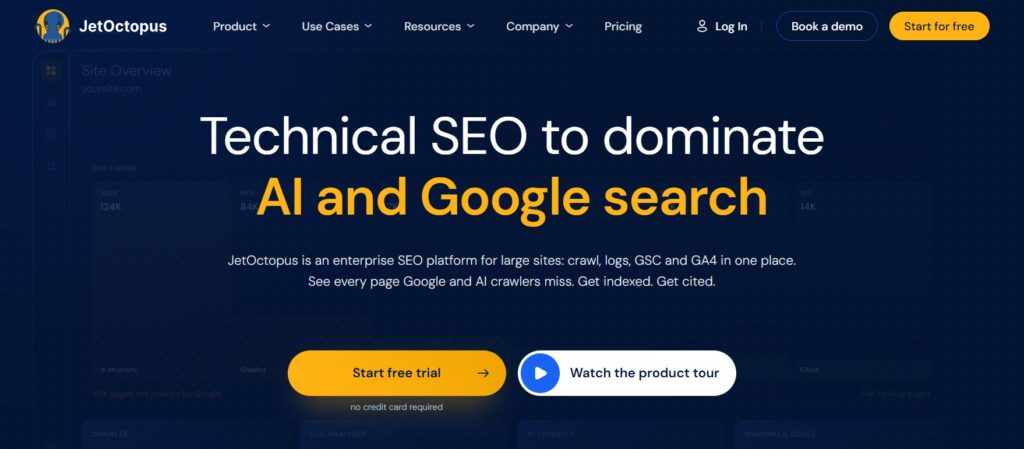
JetOctopus is a cloud-based technical SEO platform for crawling large websites, auditing pages, analyzing log files, and working with Google Search Console data. It is not a rendering service, but it can help you identify whether you truly need one.
Many websites add dynamic rendering before understanding the root cause of their indexation problem. JetOctopus can help uncover whether crawlers are reaching important pages, wasting crawl budget, encountering duplicate URLs, facing internal-link issues, or skipping valuable content.
Key features
-
Cloud-based crawling for websites with thousands or millions of URLs.
-
Technical SEO audits that identify URL-level issues across large sites.
-
Log-file analysis for understanding Googlebot and other crawler behavior.
-
Crawl-budget analysis for identifying wasted bot activity.
-
Search Console data analysis with longer historical data access.
-
Monitoring for changes in site visibility, crawlability, and technical issues.
-
Visual reporting for URLs, internal links, status codes, canonical tags, and indexability.
-
Multi-project management for agencies and large in-house SEO teams.
-
Scheduled crawling for ongoing technical monitoring.
Pros and cons
Pros
-
Strong fit for enterprise websites, ecommerce stores, and large content platforms.
-
Helps teams diagnose rendering and crawlability problems before making changes.
-
Log analysis provides insight that page crawls alone cannot show.
-
Useful for agencies working across multiple client websites.
Cons
-
Does not create prerendered HTML snapshots.
-
It can feel more technical than a simple rendering platform.
-
Pricing and setup may be more suitable for professional SEO teams than very small sites.
Pricing
JetOctopus starts at €25 per month. The platform supports unlimited website projects, so users can manage and crawl multiple domains from one account. Its pricing is mainly based on crawl volume, which makes it suitable for agencies, ecommerce businesses, publishers, and SEO teams working with large websites.
Who should choose JetOctopus?
Choose JetOctopus if you manage a large website and need to understand crawler behavior before selecting a rendering platform. It is ideal for ecommerce businesses, publishers, marketplaces, travel sites, large SaaS platforms, and agencies with technical SEO responsibilities.
7. SEO4Ajax: Best Direct Prerender.io Alternative for JavaScript SEO
SEO4Ajax is one of the closest direct Prerender Alternatives for JavaScript websites. It is designed to make AJAX and single-page applications easier for search engines and social platforms to crawl by generating crawler-accessible versions of dynamic pages.
The platform supports many common JavaScript frameworks and server environments. That makes it a relevant option for businesses with established applications that cannot easily migrate to server-side rendering.
Key features
-
Dynamic rendering for JavaScript-heavy and AJAX-based websites.
-
Compatibility with React, Vue, Angular, AngularJS, Ember, Backbone, and similar frameworks.
-
Support for Apache, Nginx, PHP, Java, Ruby, Python, and Node.js setups.
-
Crawler-friendly HTML for search engines and social-sharing platforms.
-
REST API support for custom integrations and automation.
-
Cache freshness tools to manage updates to rendered content.
-
Bot activity monitoring for checking how crawlers access the site.
-
Technical checks that can help identify duplicate content and broken links.
-
Support for large websites with substantial page inventories.
Pros and cons
Pros
-
One of the closest replacements for a classic managed dynamic-rendering service.
-
Supports a broad range of frameworks and server environments.
-
Useful for larger websites and existing JavaScript applications.
-
API access provides flexibility for technical teams.
Cons
-
Server or middleware setup may require developer support.
-
The platform is more technical than DNS-based options.
Pricing
SEO4Ajax offers a free Developer plan that includes up to 1,000 pages, 2,500 snapshots per month, and community support without requiring a credit card. Its paid Project plan starts at $29 per month with annual commitment and includes up to three websites, 20,000 pages, one dedicated browser, 99% uptime, and email support with a 48-hour response target.
Who should choose SEO4Ajax?
Choose SEO4Ajax if you want the closest direct replacement for Prerender.io and have an existing JavaScript application. It is a good fit for teams that need framework flexibility, server-level integration, API access, and a managed dynamic rendering approach.
Which Option Is Right for You?
Choose RadarKit AI
Choose RadarKit AI if your primary question is, “Are AI assistants mentioning and citing my brand?” It is useful for tracking prompts, competitors, citations, and content opportunities across AI search platforms.
RadarKit AI works best with a technically accessible website. If important content cannot be crawled because it exists only after JavaScript execution, pair it with a direct rendering option from this list.
Choose Encited
Encited is the strongest all-round choice when you need rendered HTML, technical audits, indexation analysis, crawl insights, and AI visibility tracking. It is suitable for teams that want fewer separate tools in their SEO workflow.
This is one of the most complete Prerender Alternatives for agencies and businesses that need ongoing technical and content-related visibility work.
Choose Render
Choose Render if your development team wants to host a Next.js SSR application, run scheduled page generation, deploy a custom render API, or build a long-term infrastructure stack.
It is not the fastest route to crawler-ready HTML, but it can become a durable option for teams willing to own the technical implementation.
Choose Cloudflare
Choose Cloudflare if you need global caching, security, bot controls, edge functions, and custom request routing. It is an excellent option for advanced teams that want to control every part of how crawler requests are handled.
Choose Hado SEO
Choose Hado SEO if you want fast setup without code changes. It is particularly useful for sites built with Lovable, Replit, Base44, Bolt, Vercel, or similar JavaScript-first app platforms.
Choose JetOctopus
Choose JetOctopus before investing in a rendering platform when you are not sure what is causing indexation problems. It can help you understand whether Googlebot is accessing key pages, whether internal links are working, and whether crawl budget is being used efficiently.
Choose SEO4Ajax if you want a direct managed replacement
Choose SEO4Ajax if your main goal is to serve rendered HTML to crawlers without rebuilding a mature JavaScript site. It is one of the strongest Prerender Alternatives for a traditional dynamic rendering workflow.
Frequently Asked Questions
What is the best alternative to Prerender.io?
Encited is the best overall option if you want rendering plus technical SEO, crawl analysis, indexation tools, and AI visibility features. Hado SEO is the easiest choice for DNS-based setup, while SEO4Ajax is one of the closest direct dynamic rendering replacements.
Is RadarKit AI a direct Prerender.io alternative?
RadarKit AI is not a direct replacement for a rendering platform. It does not create crawler-facing HTML snapshots. Instead, it tracks AI visibility, citations, competitor mentions, share of voice, and content opportunities.
It works best as a complementary tool for brands that want to measure the business result after crawlability has been improved.
Is SEO4Ajax better than Prerender.io?
SEO4Ajax can be a better fit for businesses that need flexible server support, broad JavaScript framework compatibility, and API-driven workflows. The better option depends on your technical stack, page volume, developer resources, budget, and reporting needs.
Can Cloudflare replace a prerendering service?
Cloudflare can support a custom rendering setup, but it does not provide a complete managed prerendering workflow by default. Your developers would need to create the logic for crawler detection, rendering requests, cached HTML delivery, refresh rules, and monitoring.
Is there a free Prerender.io alternative?
Render and Cloudflare both provide free entry options for selected infrastructure use cases, but they require technical work to become a rendering solution. For a complete managed workflow, paid platforms are generally easier and faster to implement.
Does prerendering help with AI search visibility?
Prerendering can help AI crawlers access content that would otherwise remain hidden behind client-side JavaScript. It does not guarantee a mention or citation, but accessible HTML gives crawlers a clearer version of the page to process.
Is server-side rendering better than prerendering?
Server-side rendering is often the better long-term architecture because the normal website response includes meaningful HTML. Prerendering can be a faster short-term solution when a business has an existing JavaScript application and cannot rebuild immediately.
Which Prerender.io alternative is best for React and Vue websites?
Hado SEO, Encited, and SEO4Ajax are the most direct options for React and Vue websites. Choose Hado SEO for easier DNS-based setup, Encited for broader SEO and AI visibility features, and SEO4Ajax for a traditional managed dynamic rendering workflow.